
Cost-effective sales outreach strategies that actually work
Cost-effective sales outreach strategies that actually work
TL;DR:
- Targeted, personalized outreach using free or low-cost tools can achieve 10%+ reply rates without expensive platforms.
- LinkedIn outreach delivers twice the response rate of cold email, especially when combined with multi-channel strategies.
Spending more on outreach tools doesn’t automatically mean getting more replies. In fact, multi-channel outreach boosts engagement 2-4x compared to single-channel campaigns, and LinkedIn alone delivers roughly double the reply rate of cold email, yet many B2B teams still pour their budgets into bloated platforms they barely use. The truth is that precision targeting, genuine personalization, and a smart mix of affordable channels can outperform expensive, automated spray-and-pray approaches. This article breaks down exactly how small teams and sales professionals can build outreach systems that deliver real pipeline, without draining the budget.
Table of Contents
- Defining cost-effective sales outreach
- Core components of cost-effective outreach
- Comparing LinkedIn with traditional outreach channels
- How to maximize results on a budget: Practical steps
- A smarter approach to affordable sales outreach
- Take your sales outreach further with affordable solutions
- Frequently asked questions
Key Takeaways
| Point | Details |
|---|---|
| Target quality over quantity | Prioritize outreach to the right people, not just more people. |
| Leverage affordable tools | Use free or low-cost platforms to power effective campaigns. |
| Combine channels | Integrate LinkedIn, email, and phone for greater engagement. |
| Measure cost per reply | Track actual responses and adjust your approach for best ROI. |
| Invest smart, not big | Upgrade to premium tools only when you can prove their ROI for your workflow. |
Defining cost-effective sales outreach
Cost-effective sales outreach is not simply about spending less. It means getting the highest possible return, measured in replies, booked meetings, and closed deals, for every dollar and hour you invest. The difference is subtle but important: cutting spend blindly hurts results, while spending strategically multiplies them.
One of the biggest myths in B2B sales is that a larger budget automatically produces better outcomes. Teams buy expensive sequencing platforms, load up on thousands of scraped contacts, and blast messages at scale. Then they wonder why reply rates hover around 1-2%. The problem is not the budget size. The problem is targeting quality and message relevance.
“The fastest path to a 10%+ reply rate is not a bigger tool stack. It’s a tighter prospect list matched to genuine buying signals and triggers.”
The concept of the ICP (Ideal Customer Profile) sits at the center of any cost-effective strategy. Your ICP defines the specific type of company and decision-maker most likely to need your solution right now, not eventually. Pair that with buying triggers, things like a recent funding round, a new hire in a relevant role, or a company expansion, and your outreach lands at exactly the right moment.
According to HubSpot’s sales research, small B2B teams that prioritize free or low-cost tools alongside ICP-focused targeting consistently hit 10%+ reply rates without premium platforms. That benchmark matters because the industry average hovers well below 5% for generic outreach.
Here is what cost-effective outreach actually looks like in practice:
- Prioritizing quality over quantity: 50 highly targeted messages outperform 500 generic ones, every time
- Using trigger-based prospecting: Reaching out after a company event or personnel change increases relevance dramatically
- Leveraging free tool tiers: Platforms like Apollo’s free tier give you access to contact data, basic sequencing, and filtering without a paid subscription
- Reviewing and iterating quickly: Teams that track reply rates by message type improve 30-40% faster than those who set and forget campaigns
You can find a broad overview of affordable outreach tools that fit small B2B budgets on the SalesNavSplit blog. The key takeaway is that smart spending, not heavy spending, defines truly cost-effective outreach. For a deeper look at specific tactics, the guide on smart LinkedIn sales strategies is a strong next step.
Core components of cost-effective outreach
Now that we have defined cost-effective outreach, let’s look at its building blocks and see how each one contributes to an affordable, impactful sales process.
1. Precise targeting of decision-makers Start with a list built around your ICP, not a massive database export. Filter by company size, industry, role seniority, and geographic market. Smaller, cleaner lists save time and boost relevance.
2. Personalization over volume A message that references a prospect’s recent LinkedIn post, company announcement, or industry challenge gets far more attention than a template that could have been sent to anyone. One strong, personalized sentence in your opening line changes everything.
3. Free and affordable tools Apollo’s free tier, LinkedIn Basic, and Google Sheets for tracking are genuinely enough for a solo rep or small team getting started. You do not need to spend thousands per month to run effective outreach sequences.
4. Multi-channel orchestration Combining LinkedIn messages with email and occasional phone follow-up creates touchpoints across different contexts. Multi-channel outreach boosts engagement 2-4x versus single-channel efforts. Think of it less as spamming and more as showing up where your prospect actually is. Learn more about building a multichannel LinkedIn outreach approach that keeps costs low.
5. Tracking and optimizing for efficiency Track your open rate, reply rate, positive response rate, and meetings booked per channel. These four metrics tell you everything about what is working and what is wasting your time.
Here is a quick-reference comparison of what different outreach investments deliver:
| Approach | Avg. reply rate | Monthly cost (solo rep) | Best use case |
|---|---|---|---|
| Cold email (generic, high volume) | 1-3% | $50-$200 | Brand awareness, top of funnel |
| LinkedIn Basic (manual outreach) | 8-12% | $0 | Warm, targeted prospecting |
| Multi-channel (LinkedIn + email) | 15-25% | $0-$100 | ICP-focused, mid-funnel |
| Sales Navigator + email sequence | 20-30% | $80-$160 (split seat) | Full prospecting workflow |
Pro Tip: Before you upgrade to any paid tool, test your messaging on LinkedIn Basic for 30 days. If you are not hitting at least 8% reply rates with a tight ICP list, the problem is your message, not your tool. Fix the message first.
Pairing these components with consistent follow-up is critical. Most deals happen after three to five touchpoints, yet the majority of reps stop after one or two. The reps who follow up with a new angle, not just “just checking in,” win the replies. For more actionable guidance, the LinkedIn sales engagement tips resource covers follow-up frameworks in detail.

Comparing LinkedIn with traditional outreach channels
With the foundation set, it is worth evaluating how different outreach channels actually perform for cost-conscious B2B teams. The data here is more surprising than most people expect.
LinkedIn currently delivers around 10% reply rates versus roughly 5% for cold email, making it twice as effective at generating responses from the same level of effort. On top of that, social channels now rank as the top platform for cold outreach response, cited by 42% of sales professionals surveyed by HubSpot.
Why LinkedIn outperforms cold email for quality:
- Prospects can verify who you are before they reply, which reduces friction and builds instant credibility
- Your shared connections and mutual groups create implicit social proof
- LinkedIn’s professional context means prospects are already in a work mindset when they read your message
- InMail and connection requests have different psychological triggers than an email inbox, where spam filters and fatigue are constant challenges
Why cold email still has a role:
- Email allows for longer, more detailed messages and rich formatting
- You can reach contacts who are not active on LinkedIn
- Email is better for sending case studies, proposals, or follow-up documents
- Automated email sequences scale at minimal cost once built
Here is a direct channel-by-channel breakdown:
| Channel | Reply rate | Volume capacity | Cost per reply (approx.) | Best for |
|---|---|---|---|---|
| LinkedIn (manual) | 8-12% | Low to medium | $0-$2 | Warm, targeted B2B |
| Cold email | 3-5% | High | $1-$5 | Top-of-funnel volume |
| Phone outreach | 5-10% (connect rate) | Medium | $2-$8 | High-ticket, senior buyers |
| LinkedIn + email combo | 15-25% | Medium | $0.50-$3 | ICP-targeted sequences |
The real insight here is the cost per reply, not just the reply rate. LinkedIn’s lower volume is offset by its dramatically lower cost, since you are spending time rather than money for most outreach. For small teams, that math works in their favor. Explore detailed LinkedIn prospecting strategies to see how to structure your approach by target segment.
For teams ready to scale beyond manual outreach, LinkedIn lead generation methods that combine free tools with structured sequences can bridge the gap between manual effort and automation investment.
How to maximize results on a budget: Practical steps
Having compared your outreach channels, let’s get hands-on with the exact steps that make affordable outreach truly high-performing.
Step 1: Build a tight, trigger-based prospect list Start with Apollo’s free tier or LinkedIn Basic to find decision-makers within your ICP. Filter ruthlessly. If a prospect doesn’t match your ICP criteria on at least three dimensions, remove them. A list of 100 well-qualified contacts beats a list of 1,000 marginally relevant ones every single time.
Step 2: Define your triggers A buying trigger is any recent signal that makes your outreach timely. Examples include a new VP of Sales hired at a target company, a recent funding announcement, a job post indicating a specific pain point, or a conference the prospect just attended. Referencing a trigger in your opening line immediately differentiates your message.
Step 3: Build personalized templates, not generic ones Templates are not bad. Generic templates are bad. Build templates with clear placeholder slots for a personalized first line, a reference to their specific situation, and a single, clear call to action. Keep messages under 100 words on LinkedIn. Brevity signals confidence and respect for the prospect’s time.
Step 4: Run a structured multi-touch sequence A proven basic sequence looks like this: LinkedIn connection request with a short personalized note on day one, a follow-up LinkedIn message on day four with additional context, a cold email on day seven, and a final LinkedIn message or phone call on day 12. That is four touchpoints across two channels over less than two weeks.
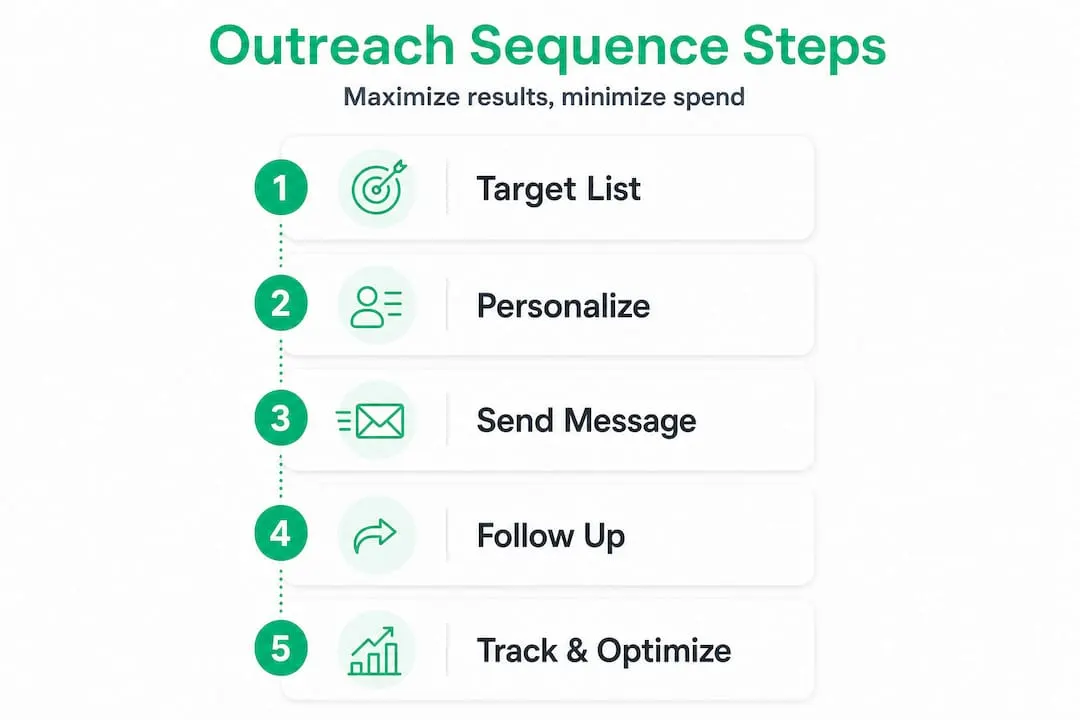
Step 5: Track, review, and optimize Use a simple spreadsheet to track reply rates by message type, subject line, and channel. Review results weekly. The HubSpot sales strategy data is clear: small teams focused on ICP and triggers hit 10%+ without premium tools. Once you hit that baseline consistently, that is your signal to consider upgrading.
Step 6: Know when to invest in Sales Navigator Sales Navigator’s advanced filters, lead alerts, and saved search features dramatically reduce the time spent on prospecting. If you are spending more than five hours a week building lists manually, the ROI from Navigator kicks in fast. Check out LinkedIn Navigator lead gen tips to see exactly which features justify the upgrade. You can also use tracking tools within Sales Navigator to measure engagement and refine your sequences in real time.
Pro Tip: When evaluating whether a tool upgrade is worth it, calculate your current cost per booked meeting. If a $80/month Sales Navigator seat reduces your prospecting time by 10 hours per month, and your time is worth even $30/hour, you are already saving $220 net monthly, before the additional meetings it generates.
A smarter approach to affordable sales outreach
Here is the uncomfortable truth that most sales content avoids saying out loud: most B2B teams overinvest in tools as a substitute for the harder work of getting targeting and messaging right. It is easier to buy a new platform than to rewrite your value proposition or rebuild your ICP definition. But the platform does not fix the fundamental problem.
The teams we have seen perform best are often the smallest ones, working with LinkedIn Basic, a shared spreadsheet, and a tightly defined ICP. They win because they spend their time on who to reach out to and what to say, rather than on which automation feature to turn on next.
There is also a concept worth naming here called automation fatigue. Prospects increasingly recognize automated sequences. The irony is that the more a tool allows you to scale generic outreach, the lower your reply rates become, because everyone else using the same tool is filling that prospect’s inbox with identical patterns.
Genuine personalization, even something as simple as a one-sentence reference to a prospect’s specific role challenge, consistently outperforms a perfectly optimized automated sequence with dynamic field insertion. This is not nostalgia for old-school sales. It is a practical observation backed by the reply rate data.
The B2B Navigator guide makes a similar point: the value of Sales Navigator is not that it automates your outreach. The value is that it surfaces better information so your human outreach lands harder. That distinction changes how you use the tool and how much return you get from it.
Take your sales outreach further with affordable solutions
You now have a complete framework for building outreach that performs without overspending. The next step is making sure your tools match your ambition.
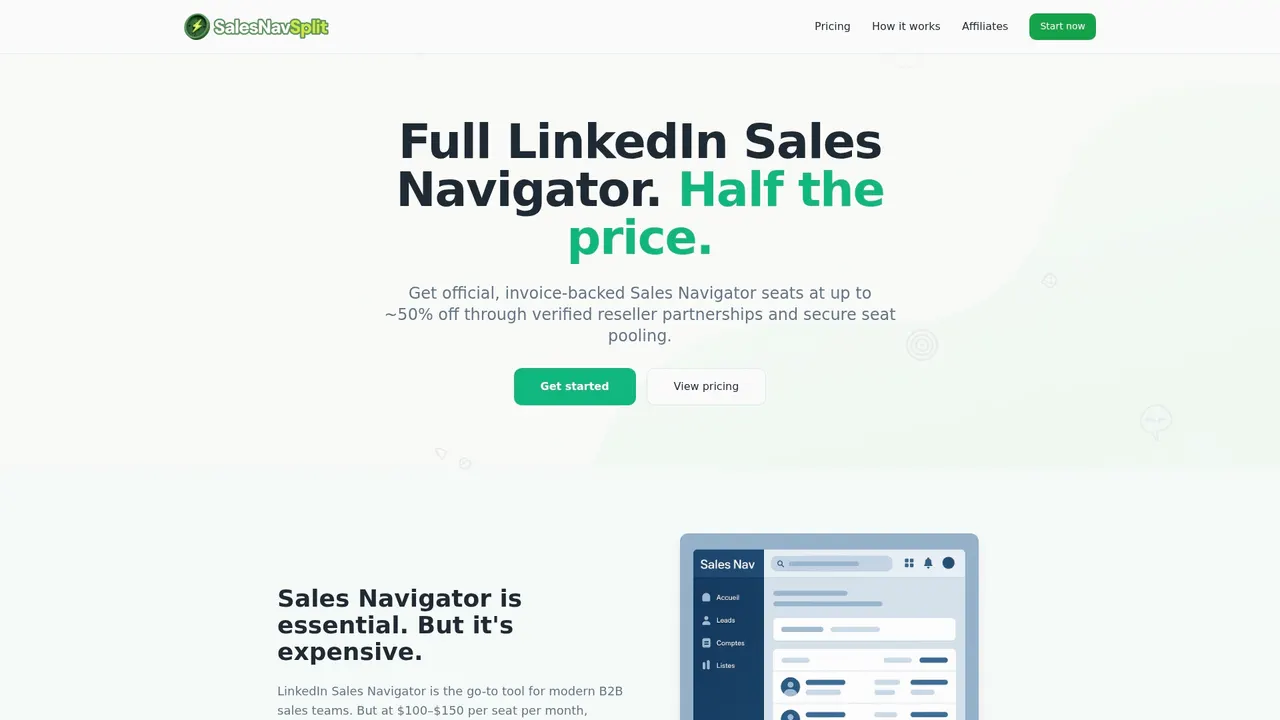
At SalesNavSplit, we provide official LinkedIn Sales Navigator seats at roughly 50% off standard pricing, sourced through verified reseller partnerships in the US and Europe. Every seat is genuine, compliant with LinkedIn’s terms of service, and activated within two business hours European time. You get the full power of Sales Navigator, including advanced filters, lead alerts, and saved searches, without the full retail price tag. If the strategies in this article make sense for your business, having the right tool at a cost that actually fits your budget makes putting them into action far more realistic.
Frequently asked questions
What makes sales outreach truly cost-effective?
Focusing on targeted, personalized messaging with free or affordable tools provides more replies per dollar than mass, untargeted efforts. Precision targeting with ICP criteria and buying triggers consistently drives 10%+ reply rates without premium platforms.
Does LinkedIn really offer better reply rates than cold email?
Yes, LinkedIn delivers around 10% reply rates versus roughly 5% for cold email, making it significantly more effective for quality responses in B2B contexts.
How can I measure if my outreach is cost-effective?
Track cost per reply and cost per booked meeting across each channel, rather than focusing only on total volume sent. Comparing these numbers across LinkedIn, email, and phone tells you exactly where to focus your time and budget.
Are there legitimate ways to access Sales Navigator at lower cost?
Yes, providers like SalesNavSplit offer discounted official Sales Navigator seats through verified reseller partnerships, giving smaller teams access to premium LinkedIn tools at roughly half the standard price.