
Sales tools checklist: Build your lean B2B outreach stack
Sales tools checklist: Build your lean B2B outreach stack
TL;DR:
- A lean B2B outreach stack typically consists of 6-10 specialized tools.
- Prioritize one tool per core function and regularly audit for overlap and effectiveness.
- A practical small team spend is $400-$600 monthly, focusing on data, outreach, and engagement.
Building a B2B outreach stack without a plan is how sales teams end up paying for six tools that do the same thing. If you’re a small business owner or a rep trying to stretch a limited budget, every redundant subscription quietly drains money you could spend on actual outreach. A lean stack of 6-10 tools focused on prospecting, data enrichment, social selling, engagement, and deliverability is what most top-performing teams actually use. This checklist walks you through the exact categories you need, what each tool should do, and how to avoid the most expensive mistakes in B2B sales tool selection.
Table of Contents
- Define your sales stack essentials
- LinkedIn Sales Navigator and affordable alternatives
- Budget stack for small business: Real-world costs and lean configuration
- Performance benchmarks and avoiding wasted spend
- The uncomfortable truth about sales tools stacks: Less is more
- Access official Sales Navigator licenses and build your stack smarter
- Frequently asked questions
Key Takeaways
| Point | Details |
|---|---|
| Lean stack is best | Using one tool per critical category reduces budget waste and enhances efficiency. |
| Navigator vs. alternatives | Apollo and Lusha replicate Navigator’s core functions at half the cost with superior data export. |
| Audit tools quarterly | Regularly reviewing your stack prevents overlap and ensures every tool adds value. |
| Budget guidance | A typical B2B outreach stack costs about $400-600 per month for a small team. |
Define your sales stack essentials
Before you compare logos and pricing pages, you need to know what jobs your stack must perform. Every effective B2B outreach setup covers four core functions: data enrichment, social selling, engagement, and email deliverability. Miss one, and you’ll feel it in your reply rates. Overlap two, and you’ll feel it in your budget.
Here’s what each category covers:
- Data enrichment: Finding and verifying contact details like emails, phone numbers, and job titles
- Social selling: Identifying and engaging prospects on LinkedIn with context and intent signals
- Engagement: Sending, sequencing, and tracking outreach across email and calls
- Deliverability: Making sure your emails land in inboxes, not spam folders
The golden rule is one tool per category. Prioritizing one tool per category protects you from the $2,000 per month waste that plagues bloated stacks. Starting with the free Apollo tier and HubSpot before adding LinkedIn Sales Navigator is the smartest sequencing for most small teams. Many reps skip this order and pay for Navigator before they’ve even built a working outreach sequence.
For teams thinking about sales solutions for small business, the criteria stay consistent: does this tool serve a function nothing else in your stack already covers? If not, skip it.
A useful benchmark is the sales growth checklist, which frames stack decisions around outcomes rather than features. Outcomes mean meetings booked, replies received, and deals opened. Features are just the means to get there.
“The best sales stack is the one your team actually uses consistently, not the one with the most integrations.”
Pro Tip: Set a calendar reminder every quarter to audit your tools. Ask one question about each subscription: did this directly support a meeting or a closed deal in the last 90 days? If not, cut it.
LinkedIn Sales Navigator and affordable alternatives
LinkedIn Sales Navigator is the gold standard for manual LinkedIn prospecting. It gives you access to advanced search filters, InMail credits, intent signals, and account tracking that the standard LinkedIn interface simply cannot match. For teams where LinkedIn is the primary outreach channel, it’s often worth the cost.
But the cost is real. Sales Navigator Core runs $119.99 per month on a monthly plan or roughly $89.99 per month when billed annually, with 50 InMails per month included. The Advanced tier climbs to $159.99 per month, and Enterprise Advanced Plus can reach around $1,600 per month per seat. For a two-person team, that’s a significant line item before you’ve paid for anything else.
That’s why knowing your Navigator alternatives matters. The strongest options include:
- Apollo.io: Free tier available, paid plans from $49 per user per month, with 275M+ contacts and built-in sequencing
- Lusha: Chrome extension for finding emails and phone numbers, priced from $36 to $49 per month
- Kaspr: LinkedIn-focused contact data tool with a free tier and strong European data coverage
Affordable alternatives like Apollo and Lusha offer stronger data export capabilities and automation features that Navigator does not. Navigator keeps prospect data locked inside LinkedIn’s ecosystem. Apollo gives you the contact data in a format you can actually use across your CRM and email tools.
Here’s how the leading tools compare at a glance:
| Tool | Starting price | Data export | Sequences | LinkedIn focus |
|---|---|---|---|---|
| LinkedIn Sales Navigator | $89.99/mo (annual) | No | No | Very high |
| Apollo.io | Free / $49/user | Yes | Yes | Medium |
| Lusha | $36/mo | Yes | No | Medium |
| Kaspr | Free tier | Yes | No | High |
If your outreach is heavily LinkedIn-native, read more about what makes Sales Navigator valuable for B2B before committing to a plan. And if cost is the primary concern, explore alternatives to business.linkedin.com that deliver similar prospecting power at lower prices.
Budget stack for small business: Real-world costs and lean configuration
Let’s make this practical. A two to three rep team with a realistic monthly budget can build a fully functional B2B outreach stack for $400 to $600 per month. Here’s what that looks like in a lean configuration.
| Tool | Function | Monthly cost |
|---|---|---|
| HubSpot CRM | Pipeline and contact management | Free |
| Apollo.io | Data enrichment and sequencing | $49/user |
| LinkedIn Sales Navigator | Social selling (optional) | ~$100/user |
| Email deliverability tool | Inbox placement and warmup | $39-$79 |
For small businesses and lean teams, this configuration keeps monthly spend between $400 and $600 for 2 to 3 reps while covering every core function. HubSpot’s free CRM handles pipeline tracking and contact records. Apollo handles prospecting and sequencing. Navigator is optional but adds real value if your buyers are active LinkedIn users.
Here’s the recommended order for building this stack:
- Start with HubSpot CRM (free) and set up your pipeline stages before anything else
- Add Apollo’s free tier and run your first 50 outreach sequences to test messaging
- Layer in an email deliverability tool once you’re sending at volume
- Add LinkedIn Sales Navigator only after your core email workflow is working and generating replies
- Review every tool at the 90-day mark and cut anything that hasn’t contributed to a booked meeting
The prospecting stage requires data tools running $39 to $300 per month, social selling tools at $99 to $169 per month, and intent signal tools that are optional but can cost $500 or more. Keeping a clear ceiling on each category prevents scope creep.

Pro Tip: Never add a paid tool until you’ve exhausted the free tier. Most teams upgrade too fast and never discover whether the tool was actually moving the needle.
For more on getting the most from your outreach budget, see these lead generation tips using Sales Navigator and this guide on advanced B2B prospecting with Navigator’s search filters.
Performance benchmarks and avoiding wasted spend
Knowing what good looks like is as important as picking the right tools. Without benchmarks, you can’t tell whether your stack is performing or just running in the background.
Here’s what research shows about real stack performance:
- The average sales stack contains 8.3 tools and generates $2,340 per month in overlap waste
- It takes 12 to 15 touches on average to book a meeting with a cold prospect
- Trigger-based outreach (like job changes or funding events) delivers 3x higher reply rates compared to standard cold outreach
- Email accuracy of 98% or better is the target for any data enrichment tool you add to your stack
Tool overlap is the single biggest budget leak in most small business stacks. Two tools doing the same job doesn’t mean twice the output. It means double the cost and fragmented data across your CRM.
Lean stacks outperform bloated ones on multichannel benchmarks, and tools like Apollo score higher than Navigator on automation and data export metrics. That doesn’t mean Navigator is wrong for your team. It means you should only add it when you’ve confirmed your outreach is LinkedIn-heavy and manual prospecting is a real part of your daily workflow.
Pro Tip: Track one number per tool every week: meetings contributed. If a tool can’t be tied to a meeting in 60 days, it’s a candidate for removal.
Use these steps to audit and optimize:
- List every active subscription and what it claims to do
- Check whether any two tools overlap in function
- Review meeting contribution data from the last 90 days
- Remove or downgrade anything that hasn’t contributed
- Confirm your deliverability tool is actively protecting sender reputation
For a full look at how to structure your outreach workflow, this guide to sales prospecting with Navigator covers the end-to-end process in detail. And for broader optimization tactics, see these sales improvement tips built for rapid team growth.
The uncomfortable truth about sales tools stacks: Less is more
Here’s what we’ve seen across teams of all sizes: the reps with the most tools rarely outperform the reps with the fewest. The assumption that more features equals more pipeline is one of the most expensive myths in B2B sales.
The real issue is discipline. A bloated stack creates decision fatigue. When you have four ways to find a contact, you spend time choosing between them instead of sending the message. When you have three engagement tools, your sequences live in three places and your follow-up falls apart.
Fixing data quality and deliverability first is the move that top-performing teams make before anything else. Navigator is optional if your pipeline doesn’t depend heavily on LinkedIn. Keeping your stack to eight tools maximum is a discipline, not a limitation.
Managing your B2B pipeline with LinkedIn works best when you treat Navigator as a precision tool, not a default subscription. Add it when you know you need it. Until then, a lean stack with strong data and consistent sequencing will outperform a feature-heavy setup every time.
The teams that win aren’t the ones with the biggest budgets. They’re the ones who know exactly what each dollar is doing.
Access official Sales Navigator licenses and build your stack smarter
If Sales Navigator belongs in your stack, the price shouldn’t be the reason you skip it.
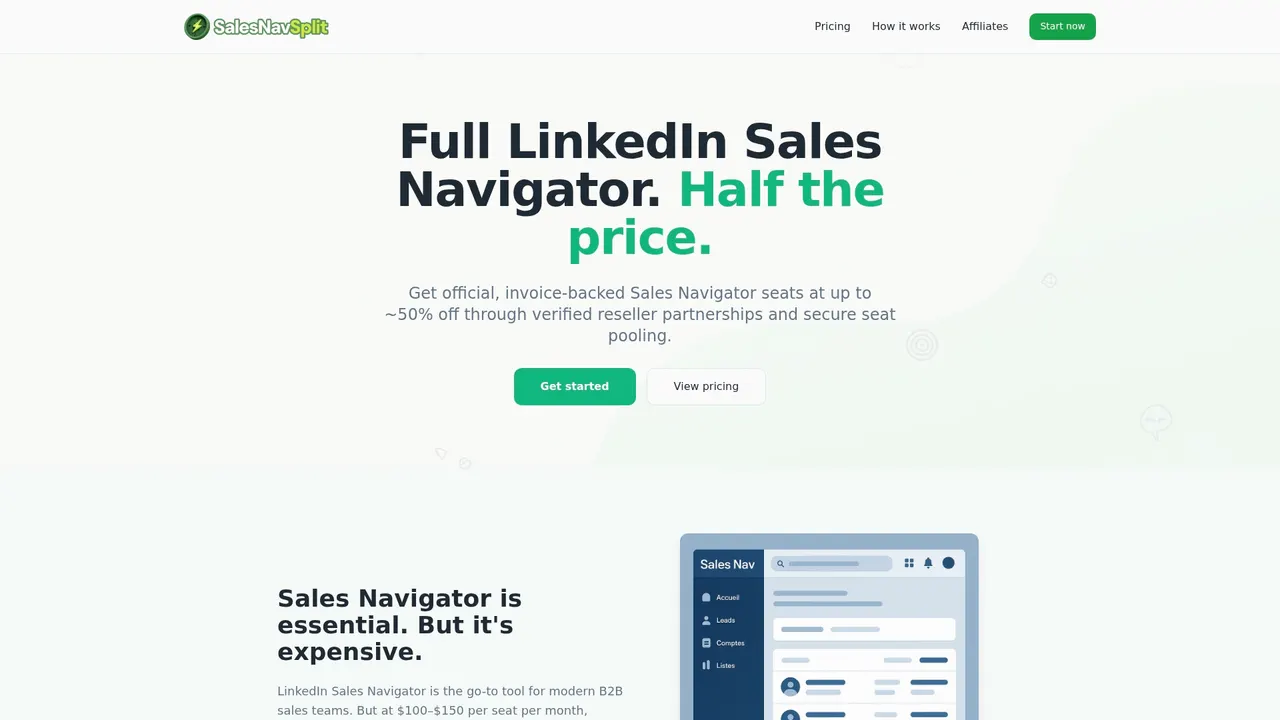
At salesnavsplit.com, you can access discounted Navigator licenses at roughly 50% off standard pricing through verified reseller partnerships in the US and Europe. These are official seats, fully compliant with LinkedIn’s terms, activated within two business hours European time, and invoiced through Stripe. No credential sharing, no gray-market workarounds. Just a legitimate seat at a price that fits a small team’s budget. If you’re still weighing your options, explore alternatives to Sales Navigator to find the right fit before committing.
Frequently asked questions
How many sales tools should a B2B outreach stack include?
Most experts recommend a lean stack of 6-10 tools, each serving a distinct function such as prospecting, data enrichment, and engagement. Anything beyond that typically creates overlap and wasted spend.
What makes LinkedIn Sales Navigator different from alternatives like Apollo or Lusha?
Sales Navigator excels at manual LinkedIn prospecting and InMail, while Apollo and Lusha offer stronger data export, email discovery, and automation at lower prices. Apollo provides 275M+ contacts with sequencing built in, which Navigator does not offer.
How much does a typical B2B sales stack cost for a small team?
A lean configuration usually costs $400 to $600 per month for 2 to 3 reps, including HubSpot CRM, Apollo, and optional Sales Navigator seats.
How can I avoid tool overlap and wasted spend?
Prioritize one tool per category across data, social selling, and engagement, audit your stack quarterly, and start with free tiers before upgrading to paid plans.
Why are quarterly audits important for a sales stack?
Quarterly audits surface overlapping tools and redirect spend toward what’s actually working. The prospecting stage alone can run $39 to $500 or more per month depending on tool selection, making regular reviews essential for budget control.
Recommended
- Blog - SalesNavSplit
- B2B Pipeline Management: Optimize Sales with LinkedIn - SalesNavSplit Blog
- Streamline your sales prospecting workflow with Sales Navigator - SalesNavSplit Blog
- Proven Steps to Qualify Sales Leads and Boost B2B Results - SalesNavSplit Blog
- Stop Wasting Time on Manual Outreach: Try These 7 AI Sales Automation Hacks – AI Management Agency
- 7 Practical Sales Growth Tips for Small Business Owners