
How to streamline sales operations: A small business guide
How to streamline sales operations: A small business guide
TL;DR:
- Small sales teams waste about 60% of their time on administrative tasks like data entry and tool switching, hindering efficiency. Streamlining operations through tech consolidation, automation, and effective lead routing significantly increases selling time and pipeline quality. Using tools like LinkedIn Sales Navigator at optimized costs and tracking key KPIs ensures continuous improvement and better sales outcomes.
If you’re running a small sales operation, your biggest competitor isn’t another company. It’s the pile of admin work eating your selling time. Knowing how to streamline sales operations isn’t optional anymore — it’s the difference between a rep who closes deals and one who spends the day updating spreadsheets. Sales reps spend about 60% of their working hours on non-selling tasks like manual data entry, lead research, and switching between tools. This guide walks you through exactly how to fix that, with practical steps covering your tech stack, automation, lead routing, and measurement, including how tools like LinkedIn Sales Navigator fit into a cost-effective B2B setup.
Table of Contents
- How to streamline sales operations: identifying what’s slowing you down
- Preparing your sales tech stack for streamlined operations
- Executing automation and lead routing to maximize sales efficiency
- Verifying success: tracking and optimizing your streamlined sales operations
- Why prioritizing admin friction over raw prospecting can transform your sales outcomes
- Streamline your sales operations with LinkedIn Sales Navigator from SalesNavSplit
- Frequently asked questions
Key Takeaways
| Point | Details |
|---|---|
| Sales reps lose time to admin tasks | About 60 percent of sales reps’ time is spent on non-selling administrative activities that reduce selling efficiency. |
| Consolidate your tech stack | Using fewer integrated sales tools improves data quality and enables better use of AI automation. |
| Maintain CRM hygiene | Quarterly audits and real-time data enrichment prevent data decay and improve lead routing accuracy. |
| Implement clear lead routing SLAs | Setting and enforcing response time expectations with escalation prevents leads from being neglected. |
| Automate to free selling time | Automating data entry and follow-ups reduces manual work, giving reps more time to focus on closing deals. |
How to streamline sales operations: identifying what’s slowing you down
Before you can fix anything, you need to name the problem clearly. Most sales inefficiency doesn’t come from reps being lazy or untrained. It comes from systems that force them into low-value work.
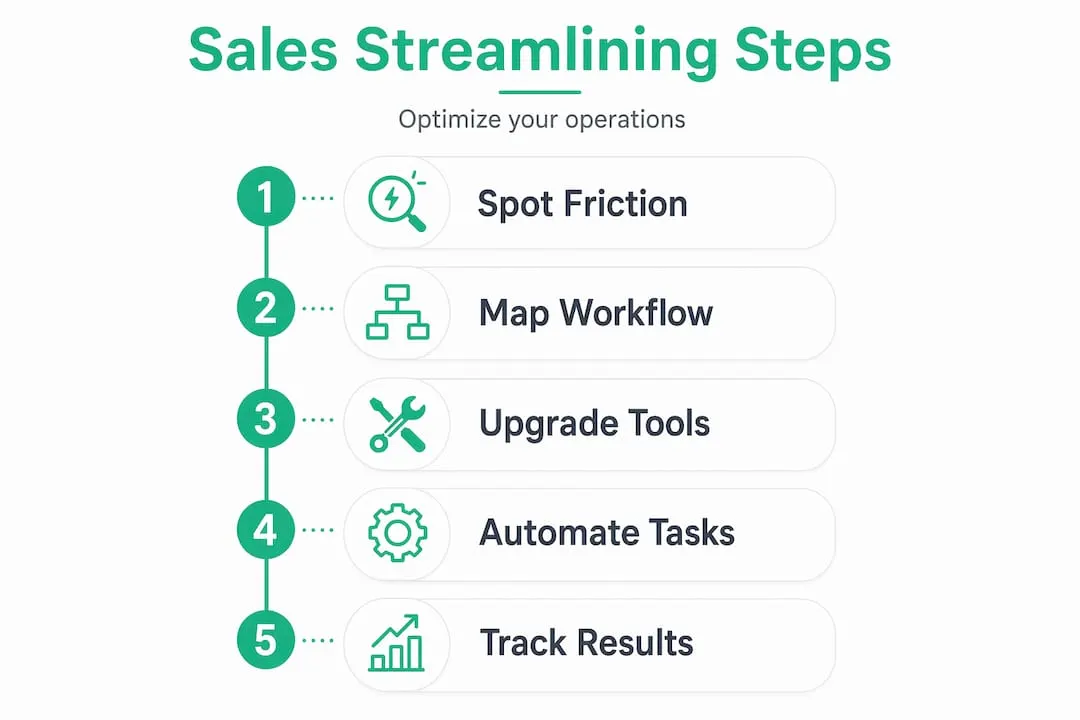
According to the Salesforce State of Sales Report, reps burn roughly 60% of their time on non-selling tasks. That means for every hour of actual selling, there are nearly two hours lost to tasks a well-configured system could handle automatically.
The most common bottlenecks in small business sales include:
- Manual data entry into CRMs after every call, email, or meeting
- Lead research done from scratch for each prospect with no shared library or saved searches
- Tool-switching between email, CRM, LinkedIn, calendar, and tracking tools
- No lead routing logic, meaning leads sit in a queue instead of reaching the right rep fast
- Duplicate or stale CRM data that forces reps to second-guess every record
“The biggest operational drain isn’t the work that’s obviously broken. It’s the hundred small friction points that no single person notices until you add them up.”
Understanding your LinkedIn Sales Navigator overview as a prospecting and lead research platform is one early step. But identifying where time actually goes — through a simple weekly audit of rep activity — is what tells you where to act first.
Preparing your sales tech stack for streamlined operations
Once you know where time is being lost, the next step is building a tech setup that doesn’t fight against you. Most small teams make the mistake of adding more tools to fix problems, when consolidation is usually the better move.

High-performing sales teams are 1.3x more likely to consolidate their tech stack into an all-in-one platform, which directly improves data quality and how well AI tools perform on top of that data. Fewer tools mean fewer data silos, fewer login fatigue issues, and less time spent reconciling conflicting records.
When auditing your current stack, focus on these areas:
- CRM hygiene: Run quarterly audits and enrichment refreshes with validation rules at the point of entry. Dirty data is one of the most expensive hidden costs in small sales teams.
- Automation readiness: Your tools should capture calls, emails, and meetings automatically without requiring reps to log anything manually.
- Integration depth: Every tool you keep should connect directly to your CRM. If a tool requires a manual export to share data, it’s a bottleneck.
Here’s how the most common LinkedIn Sales Navigator plans compare for small teams:
| Plan | Best for | Key features | Approx. monthly cost |
|---|---|---|---|
| Core | Individual reps | Advanced search, saved leads | ~$99/month |
| Advanced | Small teams | TeamLink, shared lists | ~$149/month |
| Advanced Plus | Mid-size orgs | CRM integration, syncing | Custom pricing |
For a deeper breakdown, check out choosing Sales Navigator plans to match the right tier to your team’s actual needs.
Pro Tip: Before adding any new tool, ask one question: does this reduce the number of places a rep has to go to complete a task, or does it add another stop? If it adds a stop, it’s probably not worth it.
Learning how to streamline prospecting workflows starts with your prospecting workflow on LinkedIn Sales Navigator, where saved searches and lead alerts already do the research work automatically.
Executing automation and lead routing to maximize sales efficiency
With a cleaner tech stack and better data, you’re ready to actually implement the systems that reduce manual work at scale. This is where optimizing sales processes starts delivering real time savings.
Lead routing is the most underinvested area in small business sales. When a lead comes in and sits in a generic inbox for 30 minutes, your conversion odds drop fast. Here’s how to set up a basic but effective routing and automation framework:
- Define your lead tiers. High-intent leads (demo requests, pricing page visits) go in Tier 1. General inquiries or content downloads go in Tier 2. Cold inbound falls into Tier 3.
- Set SLA targets for each tier. Tier 1 should get a rep response within 5 minutes. Lead routing SLA tiers with escalation ensure no lead waits without a fallback.
- Configure automated notifications. If a Tier 1 SLA is about to breach, the system should alert the assigned rep and their manager simultaneously.
- Build escalation paths. If no action happens within the SLA window, the lead automatically reassigns to the next available rep or a backup contact.
- Automate CRM capture. Automation capturing CRM updates on calls, emails, and meetings without rep input is one of the highest-ROI moves in sales operation automation.
Manual vs. automated lead routing: a direct comparison
| Factor | Manual routing | Automated routing |
|---|---|---|
| Average assignment time | 15 to 60 minutes | Under 60 seconds |
| SLA breach risk | High | Low with escalation paths |
| Data accuracy | Rep-dependent | System-enforced |
| Scalability | Breaks down above 50 leads/day | Handles hundreds consistently |
| Rep time cost | 30 to 90 mins/day | Near zero |
Pro Tip: Start with one routing rule, not five. Route only your highest-intent leads automatically first. Once that works cleanly for 30 days, layer in the next tier. Building in stages prevents the system from becoming a mess that no one trusts.
For specific ways to fill your pipeline once the routing system is ready, these lead generation tips with Sales Navigator apply directly to B2B teams working accounts through LinkedIn.
Verifying success: tracking and optimizing your streamlined sales operations
Implementation without measurement is just guessing. Once your automation and routing are live, you need a short list of KPIs that tell you whether the changes are actually working.
The core metrics for ways to boost sales productivity through operations include:
- Speed-to-lead: How fast does a rep contact a new lead? SLA adherence and speed-to-lead are the primary indicators of routing health.
- CRM data completeness: What percentage of contact records have a valid email, company, and last activity date? Anything below 85% signals a hygiene problem.
- Rep selling time ratio: What share of a rep’s day is spent on direct selling activities vs. admin? This is your core efficiency metric.
- Automation capture rate: Are calls, emails, and meetings logging automatically? If reps are still manually entering activities, the automation isn’t working.
| KPI | Baseline (pre-streamlining) | Target (post-streamlining) |
|---|---|---|
| Speed-to-lead (Tier 1) | 30+ minutes | Under 5 minutes |
| CRM record completeness | 60 to 70% | 90%+ |
| Rep selling time ratio | 35 to 40% | 60%+ |
| SLA breach rate | 25 to 40% | Under 5% |
| Manual CRM updates per day | 20 to 30 | Under 5 |
Consistent CRM hygiene reduces bounce rates and improves lead scoring reliability, which means your pipeline health reflects reality instead of wishful thinking.
Pro Tip: Schedule a 30-minute monthly review of these five KPIs with whoever owns sales ops in your team. You don’t need a dashboard. You need someone looking at the numbers and asking “why is this worse than last month?”
For ongoing engagement tracking once leads are in the pipeline, tracking sales engagement with Sales Navigator gives you visibility into buyer activity that most reps miss entirely.
Why prioritizing admin friction over raw prospecting can transform your sales outcomes
Here’s the counterintuitive truth most sales managers don’t want to say out loud: pushing reps to prospect more is often the wrong answer when your operations are broken.
If a rep spends 60% of their time on admin tasks, telling them to prospect more just means they’ll sacrifice sleep or quality. The actual constraint isn’t effort. It’s friction. And the bottleneck in sales operations is typically administrative friction, not prospecting volume. The highest-return efficiency projects target research, drafting, and data entry with AI and automation — not motivational speeches.
This matters even more for small teams. A solo founder or a two-person sales team can’t hire their way out of an ops problem. They have to automate their way out of it. One well-configured AI agent that handles lead enrichment and follow-up drafts can free up 90 minutes per day per rep. That’s the equivalent of hiring a part-time assistant without the cost.
The other shift worth making is thinking about tools as a system, not a collection. When your CRM, outreach tool, and LinkedIn Sales Navigator account all connect cleanly, the AI features inside each of them work better. They pull from richer, more current data. They suggest more relevant actions. The proven Sales Navigator tips for B2B work because they operate on fresh prospect data, not stale records from six months ago.
Stop measuring rep productivity by activity volume alone. Measure it by selling time ratio. The team that sends fewer emails but spends more time in real conversations with qualified buyers will consistently outperform the team grinding through a broken ops setup.
Streamline your sales operations with LinkedIn Sales Navigator from SalesNavSplit
You now have a clear framework for eliminating the admin friction that kills small sales teams. The next piece is having the right prospecting tool without overpaying for it.
LinkedIn Sales Navigator pricing runs from $89.99 to custom enterprise pricing, which puts it out of reach for many solo reps and small teams at full retail. SalesNavSplit solves that by offering official, fully compliant LinkedIn Sales Navigator seats at up to 50% off standard pricing. Seats are sourced through verified reseller partnerships in the US and Europe, activated within two business hours European time, and billed through Stripe with official invoicing. No credential sharing, no suspicious workarounds. If you’re comparing your options, the choosing the right Sales Navigator plan guide will help you pick the tier that fits your budget and workflow without paying for features you won’t use.
Frequently asked questions
What is the biggest time-waster in small business sales operations?
The largest time-wasters are administrative tasks like manual data entry, lead research, and switching between multiple tools, which consume about 60% of sales reps’ working time, leaving less than half the day for actual selling.
How often should CRM data be audited for hygiene?
CRM data should be audited quarterly with scheduled enrichment refreshes and validation rules set at the point of entry, which prevents data decay and keeps your lead scoring and pipeline metrics accurate.
What lead response times should small sales teams aim for?
High-intent leads like demo requests should be contacted within 5 minutes, and SLA tiers with escalation should trigger automatically if that window closes without a rep response.
Can automation tools replace sales reps?
Automation handles repetitive tasks like data entry and lead qualification, freeing reps to focus entirely on conversations and closing. It replaces the admin work, not the rep doing the selling.
Recommended
- Sales tools checklist: Build your lean B2B outreach stack - SalesNavSplit Blog
- How to improve sales conversion: a step-by-step guide - SalesNavSplit Blog
- 5 smart LinkedIn sales strategies for SMBs in 2026 - SalesNavSplit Blog
- Streamline your sales prospecting workflow with Sales Navigator - SalesNavSplit Blog