
How to improve sales conversion: a step-by-step guide
How to improve sales conversion: a step-by-step guide
TL;DR:
- Most teams underperform due to targeting and qualification issues, not effort or tools.
- Consistent, data-driven process improvements and precise ICP focus are key to increasing conversions.
- Affordable LinkedIn Sales Navigator enhances prospecting effectiveness, supporting targeted outreach and tracking.
Most B2B sales teams put in serious effort only to see conversion rates of 2-3% across their entire funnel. That gap between effort and result is frustrating, but it is rarely random. The teams stuck at those numbers are usually missing one or two specific fixes in their process, not working harder. This guide walks you through diagnosing your funnel, refining your targeting, executing smarter outreach, and using tools like LinkedIn Sales Navigator to move the needle on conversions in a measurable way.
Table of Contents
- Understanding your sales funnel and benchmarks
- Preparation: Analyzing your sales process and ideal customer profile
- Execution: Optimizing outreach and leveraging LinkedIn Sales Navigator
- Measuring results and troubleshooting common conversion challenges
- The uncomfortable truth about improving sales conversions
- Take your sales conversions further with cost-effective LinkedIn Sales Navigator access
- Frequently asked questions
Key Takeaways
| Point | Details |
|---|---|
| Know your benchmarks | Use real conversion benchmarks to target the stages where you can improve most. |
| Fix your targeting first | Refining your ideal customer profile and qualifying leads boosts conversion before tactics do. |
| Leverage smart outreach tools | Tools like LinkedIn Sales Navigator let you personalize at scale, raising response rates. |
| Track and adjust | Verify every change by measuring before-and-after results at each funnel stage. |
Understanding your sales funnel and benchmarks
Before you can fix a conversion problem, you need to know exactly where leads are falling out of your funnel. The B2B sales funnel has six core stages, and each one has its own conversion benchmark. Knowing these numbers gives you a baseline to compare against your own performance.
Here is how the standard funnel breaks down:
| Funnel stage | What it means | Industry benchmark |
|---|---|---|
| Visitor to Lead | Anonymous traffic becomes a known contact | 1.5% to 2.5% |
| MQL to SQL | Marketing-qualified lead becomes sales-qualified | 13% to 20% |
| SQL to Opportunity | Sales-qualified lead enters active deal stage | 20% to 25% |
| Opportunity to Close | Active deal becomes a paying customer | 15% to 25% |
These funnel stage benchmarks give you a practical reference point. If your MQL to SQL rate is sitting at 8%, you know that stage needs immediate attention. If your close rate is at 22%, you are performing well there and should focus energy elsewhere.
Three metrics deserve your closest attention when diagnosing conversion problems:
- Lead quality: Are the contacts entering your funnel actually a fit for your offer?
- Opportunity qualification: Are you advancing deals that have a realistic chance of closing?
- Closing rate: Is your sales process compelling enough to convert qualified prospects?
You can find deeper context on B2B conversion benchmarks and how they apply across different business sizes. The key insight here is that most teams underperform at the MQL to SQL stage, meaning leads are not being qualified well enough before sales reps spend time on them.
For small business B2B growth, these benchmarks matter even more. Smaller teams have fewer leads to work with, so every dropped conversion is more costly. Getting your funnel metrics right is the foundation everything else builds on.
Preparation: Analyzing your sales process and ideal customer profile
Once you have your benchmarks, the next step is an honest audit of your current sales process. Most conversion problems are not random. Low lead quality and misaligned targeting are the most common root causes, and both are fixable with the right preparation.

Start by mapping your current process from first outreach to closed deal. Write out every step your team takes, including the tools used and the time spent at each stage. This exercise almost always reveals steps that are redundant, slow, or inconsistently applied.
Here is a simple way to identify your biggest bottlenecks:
| Symptom | Likely problem | Where to focus |
|---|---|---|
| High lead volume, low SQLs | Poor lead quality or weak qualification criteria | ICP definition and lead scoring |
| Good SQLs, low opportunities | Outreach is not resonating | Messaging and personalization |
| Opportunities stalling | Follow-up gaps or weak value proposition | Follow-up cadence and deal framing |
| Opportunities lost at close | Pricing, trust, or competitive positioning | Objection handling and social proof |
After mapping your process, tighten your Ideal Customer Profile (ICP). Your ICP is the specific type of company and decision-maker most likely to buy from you. It should include company size, industry, job title, pain points, and buying triggers. Vague ICPs lead to wasted outreach.
Before changing your outreach tactics, run through this readiness checklist:
- You have a documented, step-by-step sales process.
- Your ICP includes at least five specific qualifying criteria.
- You know which funnel stage has the biggest drop-off.
- Your CRM data is clean enough to measure stage-by-stage conversion.
- Your team agrees on what qualifies a lead as sales-ready.
Pro Tip: Review your last 10 closed-won deals and 10 closed-lost deals side by side. The patterns in who bought and who did not will sharpen your ICP faster than any framework.
A solid sales prospecting workflow built on a clear ICP saves significant time and dramatically improves the quality of leads entering your funnel. If you are new to building one, the LinkedIn Sales Navigator guide covers how to use the platform specifically for ICP-based prospecting.
Execution: Optimizing outreach and leveraging LinkedIn Sales Navigator
With a clear ICP and a mapped process, you are ready to improve how you actually reach and engage prospects. This is where most teams see the fastest gains.
Personalized outreach consistently outperforms generic messaging. That means referencing something specific about the prospect’s company, role, or recent activity in your first message. It takes more time per contact, but the response rates justify it. Advanced search and personalized outreach can push your SQL to Opportunity conversion into the 20 to 25% range, which is a meaningful jump from the average.
Here are the outreach improvements that consistently move conversion numbers:
- Timing your messages: Reach out Tuesday through Thursday, mid-morning. Response rates drop significantly on Mondays and Fridays.
- Keeping first messages short: Under 75 words for a cold LinkedIn message. One clear value statement, one relevant observation, one simple ask.
- Following up systematically: Most replies come after the second or third touchpoint. A structured cadence prevents leads from going cold.
- Using triggers: Job changes, company funding announcements, and new hires are all signals that a prospect may be ready to buy.
LinkedIn Sales Navigator makes all of this faster and more precise. You can filter prospects by seniority, company size, industry, and even recent activity. The platform surfaces leads that match your ICP without manual searching. You can also save leads and accounts, track updates, and get notified when a key contact changes roles.
“The teams getting the most out of Sales Navigator are not using it as a directory. They are using it as an early warning system for when the right prospect is in the right moment.”
Pro Tip: Use Sales Navigator’s “Spotlights” filter to find prospects who have posted on LinkedIn in the last 30 days. These contacts are active and far more likely to respond than dormant profiles.
For more on building a consistent routine around these tools, the sales engagement tips resource covers specific tactics. If cost is a concern, the LinkedIn reseller guide explains how to access Sales Navigator at a fraction of the standard price.
Measuring results and troubleshooting common conversion challenges
Implementing changes without measuring them is guesswork. After any adjustment to your process or outreach, you need concrete before-and-after data to know whether it worked.
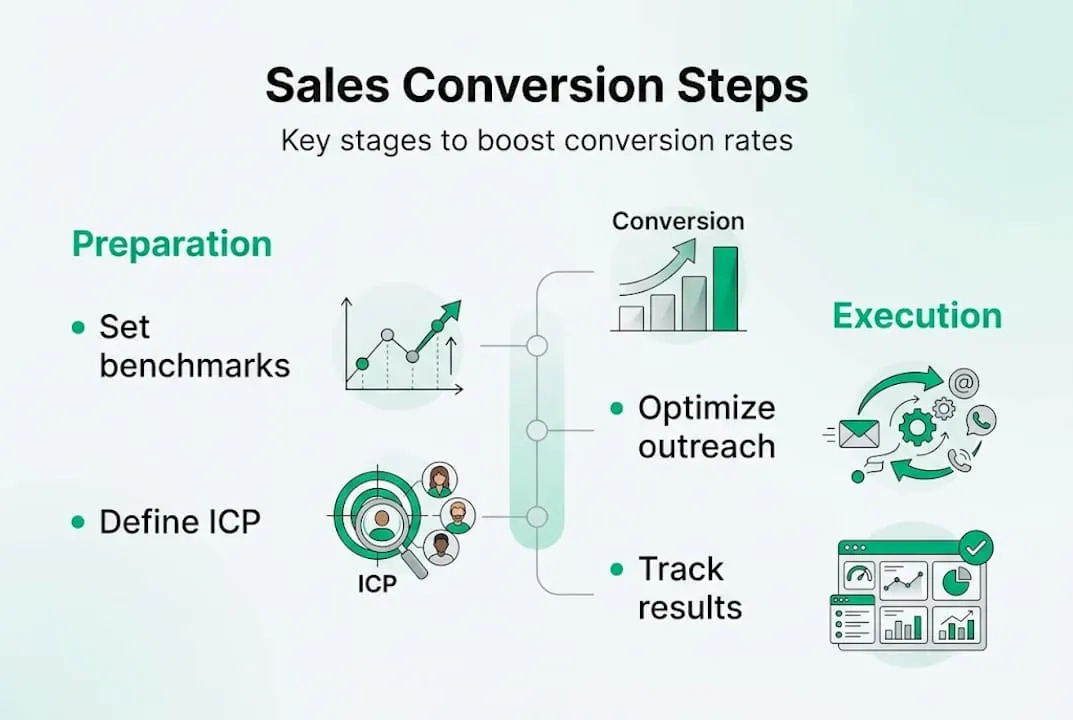
Track these metrics before and after each change:
| Metric | Before change | After change | Target improvement |
|---|---|---|---|
| Visitor to Lead rate | Your baseline | Updated rate | Above 2% |
| MQL to SQL rate | Your baseline | Updated rate | Above 15% |
| SQL to Opportunity rate | Your baseline | Updated rate | Above 20% |
| Opportunity to Close rate | Your baseline | Updated rate | Above 18% |
To diagnose where leads are dropping off, follow this process:
- Pull your funnel data for the last 60 to 90 days.
- Calculate the conversion rate at each stage.
- Compare each rate to the stage-by-stage benchmarks such as MQL to SQL at 13 to 20%.
- Identify the one stage with the largest gap from benchmark.
- Focus all optimization efforts on that single stage before moving to others.
A common mistake is trying to fix every stage at once. That makes it impossible to know which change actually drove improvement. Fix one stage, measure for three to four weeks, then move to the next.
Troubleshooting stalled conversions often comes down to three issues: your messaging is not relevant enough, your follow-up timing is off, or you are targeting the wrong contacts. Video-based content can also lift conversion rates at specific funnel stages by building trust faster than text alone.
For ongoing B2B sales improvement tips, tracking your funnel monthly rather than quarterly gives you faster feedback loops and more opportunities to course-correct before a bad quarter becomes a bad year.
The uncomfortable truth about improving sales conversions
Here is what most conversion guides will not tell you: tools and tactics are not your biggest problem. Inconsistency is.
Teams that see lasting conversion improvements are not the ones who found the perfect message template or the best prospecting tool. They are the ones who ran a consistent process for long enough to generate reliable data, then made small, deliberate changes based on that data. That is it.
Sales Navigator is genuinely useful. Personalized outreach works. But neither of them will save a process that is applied inconsistently or pointed at the wrong audience. The root issue in most underperforming funnels is not execution quality. It is targeting quality. Reps are spending time on leads that were never going to convert.
Building consistent prospecting workflows around a tightly defined ICP is less exciting than a new outreach tactic, but it is what actually moves conversion rates over time. Practicality beats perfection in real-world B2B sales. A repeatable process run at 80% quality will always outperform a perfect process run sporadically.
Take your sales conversions further with cost-effective LinkedIn Sales Navigator access
The strategies in this guide work best when you have the right tools to execute them consistently. LinkedIn Sales Navigator sits at the center of modern B2B prospecting, but the standard licensing cost puts it out of reach for many smaller teams and individual reps.
That is exactly the problem affordable LinkedIn Sales Navigator at SalesNavSplit was built to solve. We provide official, verified Sales Navigator seats at roughly 50% off standard pricing, sourced through authorized reseller partnerships in the US and Europe. Seats activate within two business hours European time, billing runs through Stripe, and everything stays fully compliant with LinkedIn’s terms. The licence costs $50 a month instead of LinkedIn’s $119.99. No credential sharing, no gray-market workarounds, just official access at a price that makes sense for your team.
Frequently asked questions
What is a good B2B sales conversion rate?
A typical B2B conversion rate averages 2 to 3%, though top-performing teams in specific industries can exceed this with strong targeting and follow-up processes.
How does LinkedIn Sales Navigator improve conversion rates?
Advanced search filters and lead tracking in Sales Navigator help you find better-qualified prospects and personalize outreach, which directly improves your SQL to Opportunity conversion rate.
What changes deliver the biggest sales conversion improvements?
Tightening your ICP and improving outreach relevance typically deliver the largest gains, since misaligned targeting is the most common root cause of low conversions.
How do I know if my sales changes are working?
Compare your funnel stage drop-offs before and after each change, focusing on the specific stage you targeted, to confirm whether the adjustment actually moved the number.
Recommended
- Top sales engagement tips to boost LinkedIn results - SalesNavSplit Blog
- Blog - SalesNavSplit
- Streamline your sales prospecting workflow with Sales Navigator - SalesNavSplit Blog
- Small business sales solutions for smarter B2B growth - SalesNavSplit Blog
- Key advantages of website optimisation for UK SMEs