
Sales Navigator Plans: Choosing the Right Option for B2B Teams
Sales Navigator Plans: Choosing the Right Option for B2B Teams
TL;DR:
- Sales Navigator offers three plans tailored for solo users, small teams, and large organizations.
- Key features like CRM integration, TeamLink, and buyer intent signals differentiate the plans.
- Choosing the right plan depends on workflow needs and can be optimized with reseller discounts.
Picking the wrong LinkedIn Sales Navigator plan is an expensive mistake that more sales teams make than you’d expect. You land on the pricing page, see Core, Advanced, and a Team option, and suddenly you’re unsure whether you need all those filters, whether your CRM will actually sync, and whether paying more upfront is worth it for a two-person team. The good news is that the differences between plans are logical once you strip away the marketing language. This guide breaks down exactly what each plan delivers, who it’s built for, and how to match the right option to your actual prospecting workflow without overspending.
Table of Contents
- Understanding Sales Navigator plans: Core, Advanced, and Team
- Key feature comparison: Prospecting, integrations, and collaboration
- Cost considerations and value: Pricing, usage, and maximizing ROI
- Selecting the best plan: Practical scenarios and decision frameworks
- Why plan differences matter more than ever in 2026
- Unlock more with official Sales Navigator seats
- Frequently asked questions
Key Takeaways
| Point | Details |
|---|---|
| Plan types explained | Sales Navigator offers Core, Advanced, and Team options tailored for solo sellers and B2B teams. |
| Feature differences matter | Collaborative features and advanced integrations can transform prospecting efficiency for teams. |
| Cost-saving strategies | Reseller discounts and split seat solutions can help teams maximize ROI on Navigator licenses. |
| Decision frameworks | Practical scenarios and expert guidance empower readers to select the best plan for their needs. |
Understanding Sales Navigator plans: Core, Advanced, and Team
With confusion often stemming from unclear plan offerings, let’s start by defining each Sales Navigator plan and the audience it was built to serve.
LinkedIn offers three primary Sales Navigator tiers, and each one targets a distinct type of sales professional. Understanding the intended audience for each plan is the fastest way to narrow down your choice before you ever look at a feature list.
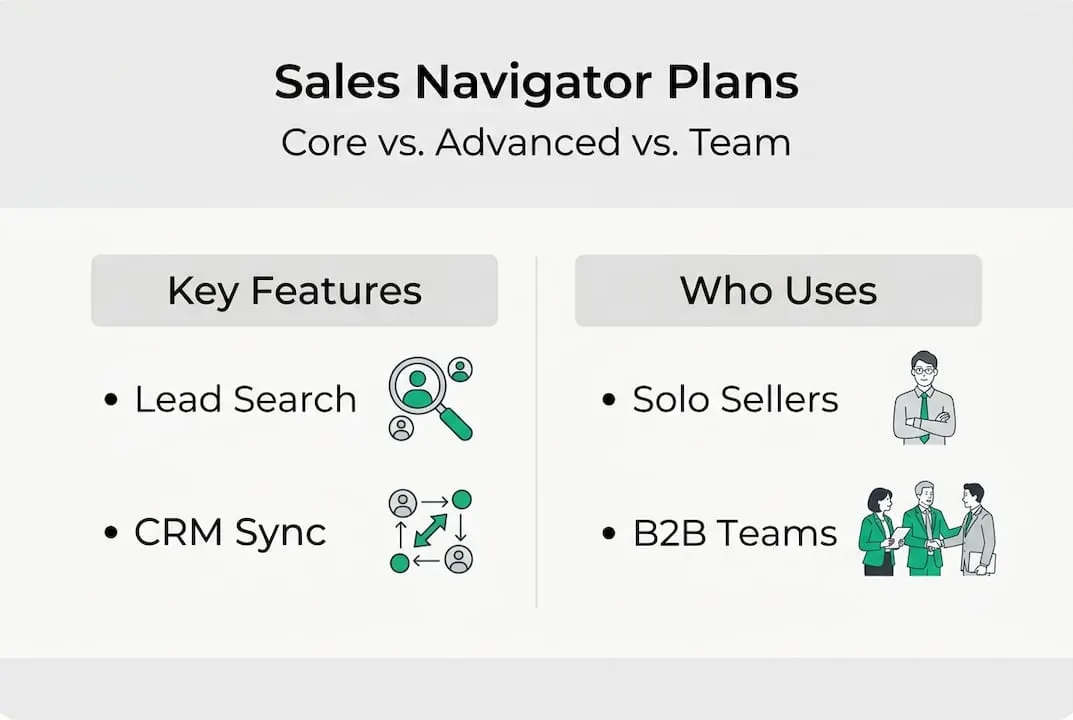
Sales Navigator Core is the entry-level paid plan and is designed for individual contributors. Solo sales reps, freelance business developers, and small business owners who do most of their own prospecting will find Core sufficient for day-to-day outreach. It gives you access to LinkedIn’s advanced search filters, saved leads, lead recommendations based on your preferences, and InMail credits for reaching prospects outside your network. Think of it as a significantly upgraded version of LinkedIn Premium with a sharper focus on finding and tracking potential buyers.
Sales Navigator Advanced steps things up for professionals who need deeper data, tighter CRM connectivity, and the ability to work in coordination with a small team. Advanced users get everything in Core plus enhanced integrations with CRM platforms like Salesforce and HubSpot, more granular search parameters, TeamLink (which maps your colleagues’ connections to prospects), and greater InMail allowances. This plan is positioned for account executives or sales managers who need visibility into a broader territory and coordination with at least a few teammates.
Sales Navigator Advanced Plus (sometimes referred to in older materials as the Team or Enterprise tier) is built for larger sales organizations that need centralized admin controls, deeper CRM write-back features, and dedicated support. It handles licensing at scale, making it practical for organizations managing ten or more seats under a single billing and reporting structure.
Here is a quick summary of each plan’s core audience:
- Core: Solo reps, freelancers, small business owners doing individual prospecting
- Advanced: Small teams, account executives, sales managers needing CRM sync and collaboration
- Advanced Plus: Mid-size to large organizations requiring admin controls and enterprise-level integrations
For a broader understanding of the tool itself, the Sales Navigator overview on the SalesNavSplit blog is a solid starting point before you evaluate plans. And if you want a breakdown of how plan differences affect real prospecting outcomes, that resource is worth bookmarking now.
Pro Tip: LinkedIn occasionally offers free trials for Sales Navigator Core. If you’re undecided, start there. Two weeks of hands-on use will tell you more than any feature comparison chart.
Key feature comparison: Prospecting, integrations, and collaboration
Now that you know the basic plans, it’s time to see what sets their feature sets apart in practice, especially for the daily prospecting activities that drive pipeline.
The most important features to compare across plans fall into three categories: search capability, CRM integration depth, and team collaboration tools. Here is how they stack up:
| Feature | Core | Advanced | Advanced Plus |
|---|---|---|---|
| Advanced search filters | Yes | Yes (more filters) | Yes (most filters) |
| Saved leads and accounts | Yes | Yes | Yes |
| Lead recommendations | Yes | Yes | Yes |
| InMail credits per month | 50 | 50+ | Custom |
| CRM integration (read) | Basic | Full sync | Full sync + write-back |
| TeamLink connections | No | Yes | Yes |
| Admin and reporting | No | Limited | Full |
| Buyer intent signals | No | Yes | Yes |
Now let’s walk through how each feature category actually affects your daily sales activity:
-
Search filters are where Core already shines compared to standard LinkedIn. You can filter by seniority, function, company headcount, geography, and years of experience. Advanced adds filters like department headcount changes and recent leadership transitions, which are genuinely useful for spotting companies in growth mode or going through structural change.
-
CRM integration is the feature that separates individual use from team use most clearly. Core offers limited data sharing, while Advanced allows advanced sales search to flow directly into your CRM records. If your team logs activity in Salesforce or HubSpot, Advanced makes that sync automatic rather than manual.
-
TeamLink is an underrated collaboration feature in the Advanced plan. It shows you which prospects are already connected to someone else on your team, allowing for warm introductions instead of cold outreach. For teams of three or more, this feature alone can meaningfully improve reply rates.
-
Buyer intent signals in Advanced and Advanced Plus surface accounts that are actively researching topics related to your product or service. This is a signal-based prospecting layer that Core users simply don’t have access to, and it can dramatically shorten time-to-conversation for reps working named account lists.
For reps who want to level up their approach, these sales boosting tips show how to apply Navigator features to real pipeline challenges. And if workflow efficiency is your priority, exploring sales workflow strategies alongside your plan selection will help you get more from whichever tier you choose.
Cost considerations and value: Pricing, usage, and maximizing ROI
Having explored the features, let’s examine the real-world cost implications and ROI factors for each plan, because features only matter if the price makes sense for your situation.
Sales Navigator pricing is not always published transparently by LinkedIn, and it changes periodically. That said, general market pricing in 2026 runs roughly as follows:

| Plan | Monthly (billed monthly) | Annual (per seat, per month) |
|---|---|---|
| Core | ~$99 | ~$79 |
| Advanced | ~$149 | ~$125 |
| Advanced Plus | Custom quote | Custom quote |
These numbers reflect standard retail pricing. The gap between monthly and annual billing is significant, so if you’re committing to Sales Navigator for a year, the annual plan saves roughly 20 to 25 percent on its own. For teams buying multiple seats, that adds up fast.
Here’s what impacts your actual ROI beyond the sticker price:
- Prospecting volume: If you’re sending fewer than 20 InMails per month and running basic searches, Core gives you more than enough capacity. Upgrading to Advanced for features you won’t use daily is pure waste.
- CRM dependency: Teams that live inside Salesforce or HubSpot and expect automatic activity logging need Advanced. Manual entry is a hidden cost that erodes the value of the cheaper plan.
- Team size and seat count: Buying five individual Core seats at full retail price costs significantly more than a shared arrangement. Options like Navigator alternatives and split seat models can reduce per-seat costs by up to 50 percent for qualifying teams.
- Profile quality: Even the best plan underperforms if your LinkedIn profile doesn’t position you credibly. Strong profile optimization increases response rates from prospects you reach through Navigator, making every InMail credit go further.
Understanding what a sales seat actually is helps clarify why seat management matters for cost control, especially for growing teams that add reps at different points in the year.
Pro Tip: Choose your plan based on your actual prospecting volume and workflow, not just the feature list. A rep who closes deals through referrals and uses Navigator mainly for research will get full value from Core. A high-volume outbound rep targeting cold accounts needs Advanced.
One often-overlooked cost lever is reseller pricing. Verified reseller partnerships allow teams to access official, compliant Sales Navigator licenses at reduced cost, which is how platforms like SalesNavSplit make advanced tools accessible to smaller organizations without forcing them into enterprise contracts.
Selecting the best plan: Practical scenarios and decision frameworks
With cost and features covered, the final step is choosing the right plan by scenario, because the best plan on paper is useless if it doesn’t match how your team actually works.
Let’s walk through common situations and what each looks like in practice.
Solo sellers and freelancers almost always start and stay on Core. If you’re a consultant or a one-person shop doing your own prospecting, you don’t need TeamLink or buyer intent signals. You need sharp filters, saved lead lists, and enough InMail to run a consistent outreach cadence. Core handles all of that without the Advanced premium.
Small sales teams of two to five people face the most common decision dilemma. The temptation is to save money by keeping everyone on Core, but if your team shares account lists and needs to avoid duplicated outreach, that approach breaks down quickly. Advanced is worth evaluating seriously here, especially if CRM sync is part of your sales process.
Scaling organizations that are onboarding new reps quarterly, managing territories, and requiring centralized reporting need the admin visibility that Advanced Plus provides. At this scale, the efficiency gains from centralized management outweigh the higher per-seat cost.
Here are some red flags that signal you’ve outgrown your current plan:
- You’re manually copying LinkedIn data into your CRM after every session
- Two or more reps have contacted the same prospect without knowing it
- You’re hitting your InMail limit before the month ends
- You can’t tell which accounts your team is currently working
- Buyer intent data would change your targeting but you don’t have access to it
“The right Sales Navigator plan isn’t the one with the most features. It’s the one that removes the most friction from your specific workflow.” This is the frame we apply every time a team asks which plan to choose.
Research from B2B sales analytics consistently shows that teams upgrading plans for workflow-matching reasons, rather than feature curiosity, report significantly higher satisfaction and measurable pipeline improvements within the first quarter. For concrete techniques on making the most of any plan, these lead generation tips offer a practical starting point.
A simple decision framework: Start with Core if you’re a solo user or if budget is the primary constraint. Move to Advanced when CRM integration, buyer intent, or TeamLink would directly solve a problem you’re experiencing right now. Escalate to Advanced Plus only when administrative reporting and seat management become operational bottlenecks.
Why plan differences matter more than ever in 2026
Here’s a perspective that most articles on this topic miss entirely. Plan selection isn’t a one-time administrative task. It’s a recurring strategic decision that should sit inside your quarterly sales review, not your annual software audit.
We’ve seen teams lock into Core for two years because the initial setup was painless, while leaving buyer intent signals, CRM sync, and TeamLink completely untouched on Advanced because nobody revisited the plan choice after the first month. That’s budget left on the table. But we’ve also seen teams overpay for Advanced Plus seats when half their reps are using Navigator only for occasional research, not daily outbound.
The uncomfortable truth is that most B2B teams choose a Sales Navigator plan based on what their peers are using, not on a genuine analysis of their own workflow. The plan that works for a 20-person SaaS sales team will not automatically work for a five-person agency or a solo consultant, even if the use case sounds similar on the surface.
Advanced prospecting insights show that the gap between Core and Advanced performance isn’t just about access to more filters. It’s about whether the plan you’re on actually integrates with the rest of your sales stack. In 2026, with AI-assisted CRM tools and intent data becoming standard parts of the B2B workflow, choosing the wrong plan can quietly stall growth for an entire quarter before anyone notices the disconnect.
Unlock more with official Sales Navigator seats
Ready to maximize LinkedIn Sales Navigator’s potential? Here’s how SalesNavSplit can help you act on what you’ve learned in this guide.
SalesNavSplit provides access to official Navigator seats at up to 50 percent off standard LinkedIn pricing, sourced through verified reseller partnerships in the US and Europe. Every seat is genuine, compliant with LinkedIn’s terms of service, and activated within two business hours European time. Whether you’ve decided Core is your best fit or you’re ready to step up to Advanced, SalesNavSplit makes it possible to get the right plan without the full retail price tag. Payments process securely through Stripe, setup is fast, and official invoicing is included. It’s the straightforward way to match your plan choice to your budget without compromise.
Frequently asked questions
What is the main difference between Sales Navigator Core and Advanced plans?
Core is designed for solo prospectors who need powerful search and InMail, while Advanced adds CRM integrations, buyer intent signals, and TeamLink collaboration features for teams. The plan differences become most apparent when your workflow requires CRM sync or shared account management.
How can teams save money on Sales Navigator?
Reseller discounts and split seat solutions can cut licensing costs by up to 50 percent compared to buying directly from LinkedIn. Platforms offering verified reseller seats provide official licenses at reduced prices without sacrificing compliance or security.
Can I upgrade my Sales Navigator plan mid-contract?
Most users can request an upgrade mid-contract through LinkedIn’s account management, though feature access and billing proration may vary. Reviewing your current agreement terms before upgrading is the safest step to avoid unexpected charges.
Which Sales Navigator plan is recommended for small businesses?
Small teams typically start with Core to keep costs manageable but often move to Advanced once CRM integration or TeamLink becomes necessary for coordinated prospecting. The right timing for that upgrade depends on how your team manages shared accounts and outreach volume.
Recommended
- Advanced sales search: Smarter B2B prospecting with Navigator - SalesNavSplit Blog
- What is LinkedIn Sales Navigator? B2B prospecting guide - SalesNavSplit Blog
- Boost Sales With These Proven Sales Navigator Tips - SalesNavSplit Blog
- Sales tools checklist: Build your lean B2B outreach stack - SalesNavSplit Blog