
Sales Accelerator Checklist for B2B Teams in 2026
Sales Accelerator Checklist for B2B Teams in 2026
TL;DR:
- Without a structured sales accelerator checklist, sales teams waste time on ineffective activities and lose deals at key stages. Implementing a prioritized, ownership-driven system that integrates with CRM ensures content relevance, accountability, and continuous improvement. Regular reviews and phased rollouts maintain momentum, helping small and large teams accelerate sales performance effectively.
Without a structured sales accelerator checklist, even experienced reps waste cycles on the wrong activities, lose deals at predictable stages, and onboard new hires inconsistently. The result is a pipeline that looks healthy until you dig into conversion rates. This guide gives B2B sales teams and small business owners a concrete, 10-component checklist to close that gap. You will find criteria for building it right, a prioritization framework, and rollout tactics that actually stick. Each section is designed to be used, not just read.
Table of Contents
- Key Takeaways
- What makes a sales accelerator checklist actually work
- 10 essential components of a sales accelerator checklist
- 1. Onboarding and ramp-up resources
- 2. Ongoing coaching and training tools
- 3. Launch enablement assets
- 4. Competitive intelligence and objection handling
- 5. Deal-stage content mapped to pipeline
- 6. Technology and CRM operations
- 7. Lead routing and work assignment rules
- 8. AI-powered prioritization and forecasting
- 9. Pipeline velocity monitoring
- 10. Checklist governance and review rhythm
- How to prioritize which checklist components to tackle first
- Rolling out and maintaining your checklist without losing momentum
- My honest take on why sales acceleration checklists fail
- How Salesnavsplit helps you put the checklist into action
- FAQ
Key Takeaways
| Point | Details |
|---|---|
| Ownership prevents decay | Assign a named owner and next-review date to every checklist asset to avoid stale content. |
| Stage-mapped content wins | Align content to specific pipeline stages so reps pull the right asset at the right moment. |
| Prioritize bottlenecks first | Use conversion rate and time-in-stage data to identify where to focus acceleration efforts. |
| AI works best in context | Thread AI tools through existing CRM workflows rather than deploying them as standalone add-ons. |
| Governance is non-negotiable | Treat the checklist as an operational system, not a static document, with built-in review cadence. |
What makes a sales accelerator checklist actually work
Most sales teams already have some version of an enablement list. A shared drive with pitch decks. A folder of one-pagers. A training doc from two years ago. The difference between that and a working sales accelerator checklist comes down to four criteria.
Ownership. Every asset needs a named person responsible for its accuracy. Not a team. Not “marketing.” A person. Asset owners and review dates directly improve rep trust and content usage. When a rep opens a battlecard and it is six months out of date, they stop opening battlecards. That erosion is silent and fast.
Review cadence. Different assets expire at different rates. Ideal review cycles run monthly for battlecards, quarterly for pitch decks, and twice a year for onboarding curriculum. Build those dates into your project management tool, not just a spreadsheet.
Content relevance by buyer journey stage. A discovery call one-pager does nothing for a rep handling a late-stage procurement objection. Every checklist item should have a labeled context: which stage it serves, which persona it addresses, and which sales motion it supports.
Technology integration. A checklist that lives in a Google Doc but does not connect to your CRM is a checklist reps will forget. The best implementations tie asset delivery to CRM triggers, so the right resource surfaces automatically when a deal reaches a specific stage.
Pro Tip: Before you build the checklist, interview three to five reps and ask them what they go searching for before a customer call. Those answers tell you exactly which assets are missing or hard to find.
10 essential components of a sales accelerator checklist
A sales enablement checklist is not just a content list. It is a structured system blending content, ownership, timing, and technology to drive sales outcomes. Here are the ten components every B2B sales team needs.
1. Onboarding and ramp-up resources
New hires who lack structured ramp-up materials take significantly longer to reach quota. Your checklist should include a 30/60/90 day plan, product training modules, CRM walkthroughs, and recorded calls from top performers. The goal is to reduce the time between day one and first deal closed, not just to check compliance boxes.
2. Ongoing coaching and training tools
Onboarding ends. Coaching should not. Recurring training keeps reps sharp on messaging, handles evolving objections, and adapts to market changes. Include call review frameworks, skill assessment tools, and access to conversation intelligence software in this section of your checklist.
3. Launch enablement assets
Every new product, feature release, or campaign needs its own launch kit. This means updated talk tracks, FAQ documents for common objections, and one-page summaries reps can send to prospects. Without a launch kit checkpoint, reps default to old messaging. That kills momentum on exactly the moments where it should accelerate.
4. Competitive intelligence and objection handling
Battlecards are the highest-value, fastest-expiring assets in any sales organization. They need monthly review as a default. Your checklist should include a competitive battlecard library sorted by the top five competitors your team faces, along with a living objection-handling guide that gets updated every time a new objection surfaces from the field.
5. Deal-stage content mapped to pipeline
Match every piece of content to a pipeline stage. Awareness content belongs at the top. ROI calculators, case studies, and security documentation belong at the bottom. When reps know exactly which asset to use at each stage, they spend less time searching and more time selling. This is one of the most direct effective sales tactics you can implement without any additional headcount.
6. Technology and CRM operations
Your checklist must include the actual tools reps use every day, with links, login guidance, and standard operating procedures. CRM sequences, email templates, and dialer configurations belong here. Platforms like Microsoft Dynamics 365 Sales Accelerator let you build automated next-step sequencing directly into your pipeline workflow, so sellers always know what action comes next.

7. Lead routing and work assignment rules
Lead follow-up time is one of the biggest drivers of pipeline leakage. Automated lead assignment routes leads instantly based on territory, workload, source, or other configurable criteria. Work assignment rules can route by geography, lead source, and workload balancing, meaning the right rep gets the right lead without any manual triage delay.
Pro Tip: Set a maximum response time target in your checklist. If a lead sits uncontacted for more than two hours, flag it for manager review automatically through your CRM.
8. AI-powered prioritization and forecasting
AI tools work best when threaded through existing CRM workflows rather than running as standalone products. Your checklist should include at least one AI use case currently in use, such as automated data capture, conversation intelligence summaries, or lead scoring. AI pilots focused on quick-win use cases reduce seller admin work and accelerate pipeline without requiring a major platform overhaul.
9. Pipeline velocity monitoring
Tracking pipeline velocity means measuring two things consistently: conversion rate between stages and time spent in each stage. The stage with the lowest conversion rate is your highest-impact optimization target. Build a simple dashboard that shows those two metrics per stage and review it weekly. This is not a reporting exercise. It is your acceleration diagnostic.
10. Checklist governance and review rhythm
The checklist itself needs a maintenance protocol. Assign a checklist owner, set quarterly governance reviews, and build in a process for retiring outdated assets. Moving forward without baseline conditions creates sales mistrust and erodes the credibility of your entire enablement program. Governance is what separates a working checklist from a folder nobody opens.
How to prioritize which checklist components to tackle first
You probably cannot build all ten components at once. The question is where to start for maximum impact.
The right method is to use your own data. Pull your CRM pipeline report and look for two signals: which stage has the lowest conversion rate, and which stage has the longest average time-to-advance. Conversion rate and time-in-stage analysis is the most direct way to find where your pipeline loses velocity.
Once you identify the bottleneck stage, map it to the checklist component that addresses it. Low conversion from demo to proposal often means missing deal-stage content or poor objection handling. Long time between proposal and close often signals a lack of ROI tools or competitive response assets.
Here is a simple prioritization framework:
| Urgency | Checklist component | Effort | Impact |
|---|---|---|---|
| High | Battlecards and objection handling | Low | High |
| High | CRM sequences and email templates | Low | High |
| Medium | Pipeline velocity dashboard | Medium | High |
| Medium | AI lead scoring pilot | Medium | High |
| Low | Onboarding curriculum rebuild | High | Long-term |
Quick wins like battlecards and sequences take days to build and pay off in the next sales cycle. Onboarding curriculum is a longer investment with compound returns. Start fast, measure results, then expand to the heavier lifts.
For B2B pipeline management teams, the competitive intelligence and deal-stage content components almost always show the fastest ROI because they address the exact moments where deals stall.
Rolling out and maintaining your checklist without losing momentum
A checklist no one uses is just documentation. Here is how to make adoption stick.
Start with an audit. Before you build anything, spend two weeks interviewing reps, listening to call recordings, and pulling win/loss data. You need to know what is missing before you decide what to create.
Then launch in phases. Giving a sales team ten new resources at once triggers overwhelm. Roll out two to three components per month. Start with the highest-impact items from your prioritization analysis, measure usage through your CRM, and iterate before adding more.
Leadership buy-in is not optional. If managers do not reference the checklist in deal reviews, reps will not either. Build checklist usage into your sales improvement plan by including it as a standing agenda item in weekly pipeline reviews.
For technology rollout, keep it small and measurable at first. Early AI pilots should be narrow in scope to build leadership trust before you scale. One well-measured AI use case beats five poorly tracked ones.
Pro Tip: Schedule a “checklist retirement” review every six months. Kill assets that have not been accessed in 90 days. Dead content creates clutter and reduces trust in the entire system.
Finally, connect your sales enablement strategy to a rolling review calendar. Put review dates in your project management tool on day one, not as an afterthought.
My honest take on why sales acceleration checklists fail
I have watched sales teams invest serious time building enablement checklists, only to see those checklists become irrelevant within a quarter. The root cause is almost never the content. It is the process around the content.
The first failure mode is anonymous ownership. When a checklist asset is “owned” by the sales enablement team collectively, nobody updates it. Nobody feels the accountability. Reps notice within weeks, stop trusting the system, and revert to building their own decks.
The second mistake is believing that more content creates better results. I have seen organizations with over 200 sales assets where reps consistently used fewer than ten. Volume is not the goal. Precision is. A checklist with 20 well-maintained, stage-specific assets outperforms one with 150 orphaned files every time.
The third thing I have learned is that AI acceleration only works when it connects your existing systems. Threading AI through your CRM, your email tool, and your calling platform gives it the context it needs to prioritize accurately. Deploying an AI tool in isolation, disconnected from where reps actually work, produces data that looks good in demos and fails in the field.
The teams that sustain acceleration over time share one habit: they treat the checklist as a living operational asset, review it on a schedule, retire what is dead, and build only what the data says is missing.
— Toinon
How Salesnavsplit helps you put the checklist into action
A strong sales accelerator checklist needs strong prospecting data to back it. That means having LinkedIn Sales Navigator in the hands of every rep who does outbound work.
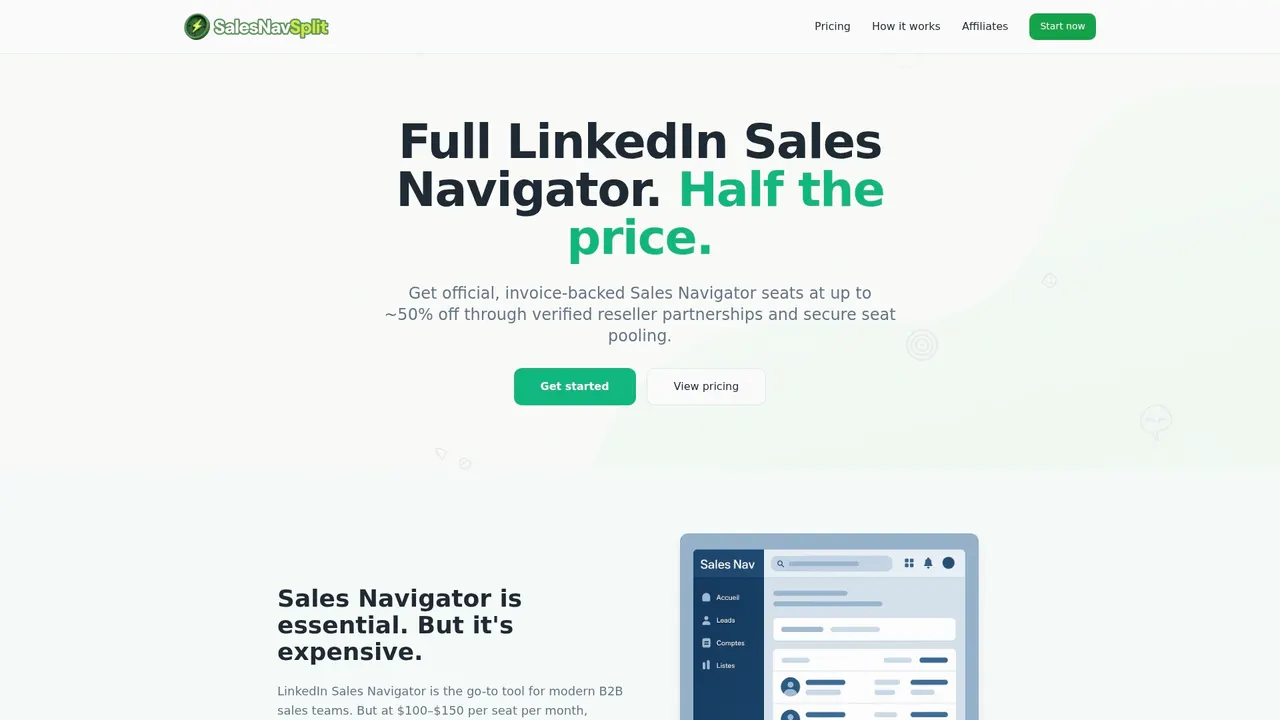
Salesnavsplit offers official LinkedIn Sales Navigator seats at roughly 50% off standard pricing through verified reseller partnerships in the US and Europe. Seats activate within two business hours European time, billing runs through Stripe, and every license is fully compliant with LinkedIn’s terms of service. For small B2B teams where budget is tight and prospecting quality matters, that combination is hard to beat. If you are building out your sales process checklist and want your team to have the outreach tools to match, explore discounted Sales Navigator seats and get your team active without overpaying for access.
FAQ
What is a sales accelerator checklist?
A sales accelerator checklist is a structured list of enablement assets, tools, and processes that helps sales teams work faster and more consistently. It covers everything from onboarding resources to competitive battlecards and CRM automation.
How often should a sales accelerator checklist be reviewed?
Review cadence depends on the asset type. Battlecards should be reviewed monthly, pitch decks quarterly, and onboarding curriculum twice a year to keep content accurate and useful.
Where should a B2B team start when building this checklist?
Start with a data pull from your CRM to find the pipeline stage with the lowest conversion rate. That stage points directly to which checklist component needs to be built first.
How does AI fit into a sales accelerator checklist?
AI belongs in the technology section of your checklist, tied to specific use cases like lead scoring, conversation summaries, or automated data capture. Small, measurable pilots work better than broad rollouts.
Can small sales teams benefit from a formal checklist?
Yes. Smaller teams benefit most because they cannot afford to lose deals to disorganized processes. A lean, well-maintained checklist with ten to fifteen assets gives small teams the structure of a larger organization without the overhead.