
Harness automation in sales prospecting for smarter B2B
Harness automation in sales prospecting for smarter B2B
TL;DR:
- Automation enables sales teams to scale outreach while maintaining personalized, relationship-focused interactions.
- A balanced hybrid approach preserves response rates and reputation, combining automation with human engagement.
- Thoughtful, ongoing automation boosts ROI for small teams and adapts to LinkedIn’s evolving policies.
Nearly 400% ROI is achievable within 18 months when sales teams implement automation the right way. That figure surprises most people, and so does this: the teams hitting those numbers aren’t replacing their salespeople with bots. They’re doing the opposite. They’re freeing their reps to do what humans do best, which is build real relationships, while letting automation handle the volume work. This article walks you through the mechanics of sales automation on LinkedIn, the tools worth knowing, the hybrid strategies that actually work, and the practical steps to start seeing results fast without burning your budget or your reputation.
Table of Contents
- Why automation matters for B2B sales prospecting
- Core components: What sales automation really does
- Finding the right automation balance: Human touch still wins
- Top tips for getting started with sales automation on LinkedIn
- Our take: Why smart sales teams win with thoughtful automation
- Ready to upgrade your LinkedIn sales prospecting?
- Frequently asked questions
Key Takeaways
| Point | Details |
|---|---|
| Automate smart, not blindly | Focus automation on repetitive prospecting steps but keep the human touch for meaningful interactions. |
| Use signal-based tools | AI-powered tools that analyze hundreds of data signals lead to higher-quality B2B sales leads. |
| Hybrid approach wins | Blending automation with personal engagement maximizes ROI and sales effectiveness. |
| Start small and optimize | Begin with a few high-impact automation steps and scale as you learn what works for your team. |
Why automation matters for B2B sales prospecting
If you’ve ever spent an afternoon manually searching LinkedIn for decision-makers, copying names into a spreadsheet, and then sending the same connection message fifty times, you already know the problem. B2B sales prospecting basics involve identifying, qualifying, and engaging potential buyers, and the manual version of that process is slow, inconsistent, and exhausting.
The core challenge on LinkedIn specifically is volume versus quality. You need to reach hundreds of qualified prospects per month to build a healthy pipeline, but every hour spent searching is an hour not spent selling. Add in the fact that LinkedIn’s algorithm limits how many connection requests you can send per week, and you start to see why so many sales reps feel stuck spinning their wheels.
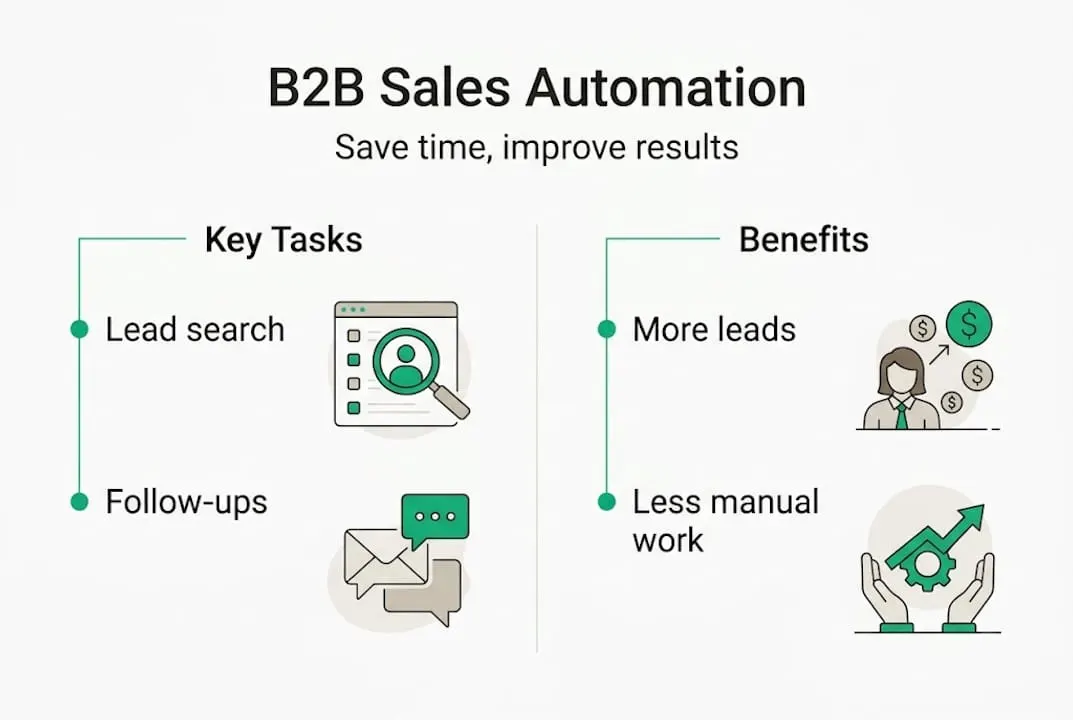
Automation fixes this by taking over repetitive, rules-based tasks. It searches smarter, filters faster, and keeps your outreach moving even when you’re focused elsewhere. AI-powered lead generation tools now use behavioral signals and firmographic data to surface leads that are actually ready to buy, not just people with the right job title.
Here’s what automation specifically solves for LinkedIn prospectors:
- Inconsistent targeting: Filters get applied manually and unevenly; automation enforces your ideal customer profile every time
- Response delays: Follow-up messages get forgotten; automation sends them on schedule
- Data entry waste: Hours lost copying lead info; automation syncs directly to your CRM
- Low message volume: Manual outreach caps you at dozens per day; automation scales to hundreds while staying safe
- Poor lead prioritization: Not knowing who to call first; machine learning lead scoring outperforms traditional methods by identifying buying intent signals with far greater accuracy
Pro Tip: Before you automate anything, document your current prospecting process in writing. You can’t improve a workflow you haven’t mapped. Even a simple list of steps reveals the bottlenecks automation can eliminate first.
“The manual prospecting process isn’t just slow — it’s structurally biased toward whoever has the most patience, not whoever has the best prospects. Automation removes that bias entirely.”
The LinkedIn sales engagement tips that consistently work share one thing in common: they use automation for volume and humans for nuance. That’s the foundation everything else in this article builds on.
Core components: What sales automation really does
Automation isn’t a single feature. It’s a stack of connected capabilities, and understanding each one helps you choose the right tools and use them at the right stage of the funnel.
Here are the key steps automated in a modern LinkedIn prospecting workflow:
- Lead search and filtering — Automated search pulls prospects matching your criteria (job title, company size, industry, location) continuously, without you lifting a finger
- Lead scoring — AI ranks prospects by buying likelihood using engagement signals, job changes, and company growth indicators
- Connection request sequencing — Sends personalized invitations within safe daily limits to avoid LinkedIn restrictions
- Message follow-up — Delivers multi-step message sequences after a connection is accepted, timed to feel natural
- CRM sync — Pushes qualified lead data directly to your pipeline tool, eliminating manual data entry
- Performance tracking — Monitors open rates, reply rates, and conversion metrics so you can optimize messaging
The tools that stand out from basic automation are the ones built on signal analysis. Tools with advanced signal analysis for B2B targeting don’t just match filters; they detect behavioral triggers like a prospect viewing your profile, a company posting a hiring spike, or a decision-maker changing jobs. Those signals indicate urgency, and catching them manually is nearly impossible at scale.
| Automation component | Time saved per week | Conversion impact |
|---|---|---|
| Lead search and filtering | 4 to 6 hours | +20 to 30% more qualified leads |
| AI lead scoring | 2 to 3 hours | +35% better lead prioritization |
| Message sequencing | 3 to 5 hours | +25% reply rate improvement |
| CRM auto-sync | 2 to 4 hours | Near-zero data entry errors |
| Performance analytics | 1 to 2 hours | Faster campaign iteration |
You can also pair these tools with structured LinkedIn prospecting workflows to build a repeatable system that doesn’t depend on any single rep’s memory or energy level.
For teams ready to go deeper, advanced LinkedIn prospecting techniques combine boolean search logic with saved lead lists and alert systems, making your automation even more precise over time.
The key insight: automation compounds. The more consistently you run it, the better your data gets, and the smarter your targeting becomes in subsequent campaigns.
Finding the right automation balance: Human touch still wins
Here’s where most teams get into trouble. They see strong early results from automation and respond by automating more. Then more. Until every message sounds like it came from a script generator, response rates collapse, and LinkedIn flags the account for suspicious activity.

Over-automation is real, and it’s a reputation killer. The research is clear: hybrid approaches that let automation handle roughly 80% of outreach volume while humans manage relationship-critical touchpoints consistently outperform full automation.
Compare the two approaches side by side:
| Factor | Pure automation | Hybrid approach |
|---|---|---|
| Message personalization | Low, template-driven | High, human-reviewed |
| Response rates | Drops over time | Stays consistent or improves |
| Compliance risk | Higher | Lower |
| Relationship quality | Weak | Strong |
| Scalability | High but fragile | High and sustainable |
| ROI longevity | Short-term gains | Long-term pipeline growth |
Signs your process is over-automated:
- Prospects reply asking if they’re talking to a bot
- Your reply rate has dropped more than 30% in 60 days
- You’re getting LinkedIn warnings about unusual activity
- Every message in your sequence sounds identical
- You can’t recall the last genuine sales conversation you had
Prospecting compliance also matters more than most people realize. LinkedIn prospecting compliance guidelines are strict, and violating them can cost you your account entirely.
What should automation handle? Search, filtering, scheduling, follow-up reminders, CRM updates, and performance reporting. What should humans handle? Responses to real replies, relationship-nurturing messages, calls, demos, and any interaction where trust is on the line.
Pro Tip: Set a calendar reminder every two weeks to manually review your automation sequences. Read them like a stranger would. If anything sounds robotic or pushy, rewrite it. Fresh eyes on your templates regularly prevents the gradual slide into impersonal outreach.
For a practical breakdown of when to step in personally, LinkedIn engagement strategies offer a solid framework built around genuine value exchange rather than pure volume tactics. Research comparing AI vs traditional sales teams confirms that neither extreme wins alone.
Top tips for getting started with sales automation on LinkedIn
Enough theory. Here’s how to actually implement automation without wasting months on trial and error.
Step-by-step to get started:
- Define your ideal customer profile — Get specific. Industry, company size, job title, geography, and pain point. Automation amplifies your targeting, so the more precise your criteria, the better your results.
- Choose a tool with LinkedIn integration — Look for platforms with native Sales Navigator compatibility, message sequencing, and CRM sync. Avoid browser extensions that mimic human behavior in suspicious ways.
- Set conservative daily limits — Start at 20 to 30 connection requests per day and 15 to 20 messages. Scale up only after 30 days of clean results.
- Build a three-step message sequence — Connection request with no pitch, a value-driven follow-up within 48 hours, and a soft call-to-action on day five. Keep every message under 150 words.
- Connect your CRM immediately — Don’t let leads accumulate in your automation tool. Push them to your pipeline from day one.
- Review and optimize weekly — Check reply rates, connection acceptance rates, and meeting bookings. Change one variable at a time so you know what’s working.
Common pitfalls that kill early results:
- Sending pitches in your connection request message
- Using the same template for every industry vertical
- Ignoring replies because the automation is still running
- Scaling too fast before validating your messaging
- Skipping CRM integration and losing track of warm leads
For more depth on building a high-converting funnel, LinkedIn lead generation tips cover the specific tactics that move prospects from cold to qualified faster. And for teams thinking about long-term pipeline health, B2B pipeline management on LinkedIn is worth studying before you scale.
The 200 to 400% ROI achievable in 18 months with mature automation isn’t a fluke. It’s what happens when you start lean, validate fast, and scale what works. These AI sales automation hacks illustrate how small teams can compete with enterprise outreach budgets by being smarter, not louder.
Pro Tip: Once your sequences hit a 30% or higher reply rate, duplicate the campaign for a new segment rather than adding volume to the existing one. Segmented campaigns consistently outperform broad ones because the messaging stays relevant.
Our take: Why smart sales teams win with thoughtful automation
Here’s what we’ve seen consistently: the teams that chase the newest tool every quarter rarely outperform the teams that master one good system and optimize it over time. Automation’s real power isn’t in the features list. It’s in what it frees your salespeople to do.
When your reps aren’t drowning in manual search tasks and copy-paste outreach, they can have three more substantive conversations a week. Multiply that across a team over a year, and you’re looking at hundreds of relationship-building touchpoints that pure automation could never replicate.
The teams we see winning aren’t just automating more. They’re being ruthlessly selective about what they automate, and they revisit those decisions every quarter. Automation is not a one-time setup. It’s an ongoing practice.
That’s especially true as LinkedIn continues evolving its algorithm and outreach limits. Teams that over-relied on a single LinkedIn automation alternative have been caught flat-footed when policies changed. Diversification and adaptability matter as much as the tools themselves.
The future belongs to teams that treat automation as a means to deeper human connection, not a replacement for it.
Ready to upgrade your LinkedIn sales prospecting?
If this article has you thinking seriously about smarter prospecting, the next practical step is making sure you have access to LinkedIn’s most powerful native tool without overpaying for it.
At salesnavsplit.com, we provide official LinkedIn Sales Navigator seats at up to 50% off standard pricing. These are fully licensed, compliant seats sourced through verified reseller partnerships, not workarounds. You get the full power of Sales Navigator including advanced search filters, lead recommendations, and CRM integration at a cost that actually makes sense for smaller teams and individual reps. Browse our automation strategies blog for more guides like this one, and get your seat activated within two business hours European time.
Frequently asked questions
What tasks should I automate first in LinkedIn sales prospecting?
Automation works best on volume tasks like lead search, initial connection requests, and follow-up reminders. Start there before automating anything requiring judgment or personalization.
Does automation make sales interactions feel less personal?
Not when you do it right. Hybrid automation approaches that blend automated volume work with human-driven responses and relationship-building consistently outperform fully automated systems.
Is sales automation worth it for small businesses?
Absolutely. Small teams see 200 to 400% ROI within 18 months when they implement automation thoughtfully and keep optimizing their process.
How do I choose the best automation tool for B2B prospecting?
Focus on platforms with machine learning lead scoring and strong LinkedIn integration. Signal-based targeting delivers significantly better results than basic filter-and-blast tools.
Recommended
- Advanced sales search: Smarter B2B prospecting with Navigator - SalesNavSplit Blog
- Streamline your sales prospecting workflow with Sales Navigator - SalesNavSplit Blog
- What Is Sales Prospecting? Proven Strategies for B2B Success - SalesNavSplit Blog
- B2B Pipeline Management: Optimize Sales with LinkedIn - SalesNavSplit Blog
- Stop Wasting Time on Manual Outreach: Try These 7 AI Sales Automation Hacks – AI Management Agency
- Sales Workflow Automation: 236% ROI for B2B Teams