
LinkedIn Tools for Startups Explained: 2026 Guide
LinkedIn Tools for Startups Explained: 2026 Guide
TL;DR:
- Most startup founders struggle to build quality outreach pipelines on LinkedIn by using ineffective tools or unchecked automation. Focusing on authentic engagement, strategic content timing, and integrated prospecting tools like Sales Navigator improves lead quality and visibility. Choosing compliant, budget-friendly tools and embedding routine practices into daily workflows maximizes LinkedIn’s platform potential for early-stage startups.
Most startup founders discover LinkedIn tools the same way. They sign up for something promising, blast out connection requests, and wonder why their pipeline stays empty. If that sounds familiar, you are in the right place. This guide covers linkedin tools for startups explained in plain terms, so you can stop guessing and start building real traction. You will learn which tools actually match startup budgets and goals, which ones waste your limited time, and how to put them together into a workflow that generates warm leads and genuine relationships.
Table of Contents
- Key takeaways
- LinkedIn tools for startups explained: the platform’s real value
- Top LinkedIn tools worth your attention
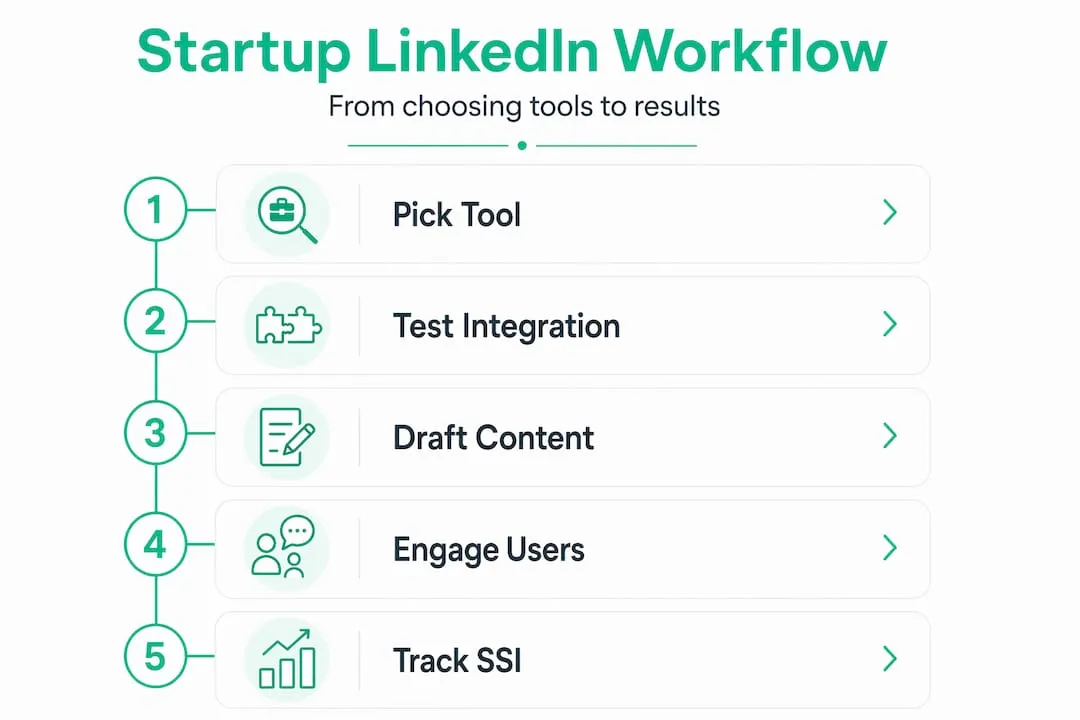
- Building a tool workflow that actually sticks
- Best practices for maximizing engagement and conversions
- My honest take after working with founders on this
- Get Sales Navigator at startup-friendly pricing
- FAQ
Key takeaways
| Point | Details |
|---|---|
| SSI score gates your reach | A Social Selling Index above 70 unlocks higher connection limits and better organic visibility. |
| Warm engagement beats cold volume | Commenting on a prospect’s posts before outreach dramatically improves connection acceptance rates. |
| Budget-smart tool stacking | Point solutions integrated with your CRM outperform expensive all-in-one suites for early-stage startups. |
| Content timing matters | The first 60 minutes after publishing a post are critical for seeding comments and algorithmic reach. |
| ABM filters multiply ROI | Account-Based Marketing campaigns on LinkedIn generate significantly better returns than broad targeting. |
LinkedIn tools for startups explained: the platform’s real value
LinkedIn is not just a digital resume board. For B2B startups in particular, it is the single highest-intent professional network on the planet. Your buyers are already there, reading industry content, following competitors, and signaling buying intent through what they engage with every day.
The platform’s core features that matter for founders include:
- Sales Navigator: Advanced search filters, lead lists, CRM sync, and InMail credits that let you prospect with surgical precision.
- InMail: Direct messaging to anyone on LinkedIn, even outside your network, with measurably higher open rates than cold email.
- Organic content: Posts, newsletters, and LinkedIn articles that build thought leadership and generate inbound interest.
- LinkedIn Events: Free virtual event hosting that builds engaged audiences around your product or expertise.
What changed in 2026 is the algorithm’s clear preference for authentic, multi-format content over promotional posts and link dumps. LinkedIn now actively rewards comments, carousels, and short videos from founders who engage genuinely with their communities.
The Social Selling Index deserves special attention here. Profiles with SSI above 70 unlock higher daily connection limits and appear more prominently in search results. Most founders never check their SSI score, let alone work to improve it. It is free to access through LinkedIn’s SSI dashboard, and improving it takes deliberate daily habits: sharing content, commenting thoughtfully, and keeping your profile complete. Start tracking it weekly.
LinkedIn also launched Advice Sessions in May 2026, a feature inside Premium Business that lets founders host paid video consultations directly from their profiles, with booking and payment built in. For service-oriented startups, this is an immediate revenue channel that most people have not discovered yet.
Top LinkedIn tools worth your attention
Here is where founders often get lost. There are dozens of tools claiming to supercharge your LinkedIn presence, but most either violate LinkedIn’s terms, prioritize raw volume over quality, or cost more than a junior hire. The tools below are selected for startup-stage relevance: affordable, compliant, and genuinely useful.
| Tool | Best for | Key feature | Approx. price |
|---|---|---|---|
| LinkedIn Sales Navigator | Prospecting and lead lists | Advanced filters, CRM sync, InMail | $99/mo (retail) |
| Commentify | Founder-led engagement | Geographic targeting, dual engagement/sales mode | Low monthly fee |
| Taplio | Content scheduling and analytics | AI content drafting, post scheduling | $49/mo |
| Snov.io | Multi-channel outreach | Email finding plus LinkedIn sequences | From $39/mo |
| Dux-Soup | Profile visiting and connection automation | Auto-visit, tagging, CRM integration | From $11.25/mo |
Sales Navigator remains the prospecting standard. Its Boolean search filters, “saved leads” alerts, and CRM integration (with Salesforce and HubSpot) make it indispensable for B2B startups targeting specific buyer personas. The one barrier is cost, which is where specialized resellers become relevant.
Founder-focused tools that combine geographic targeting with native engagement outperform generic mass automation because they warm prospects before you ever send a message. Tools like Commentify let you switch between an engagement mode (building visibility through thoughtful comments) and a sales mode (direct outreach), depending on where a prospect sits in your funnel.
For content, Taplio stands out because it uses AI to draft posts in your voice, schedules them for peak times, and surfaces analytics on what is actually resonating. Pair that with a light commenting strategy and you build a presence that attracts inbound leads rather than chasing them.

Pro Tip: Before adding any new tool, ask one question: does it integrate with the CRM you already use? A tool that creates a separate data silo will cost you more in manual syncing than it saves in automation.
Startups using multi-account management tools reduce suspension risk while keeping brand messaging consistent across team members. This matters when more than one founder or sales rep is active on LinkedIn at the same time.
Building a tool workflow that actually sticks
Choosing tools is only half the job. The harder part is embedding them into your weekly routine without creating a second full-time job managing the tools themselves.
Follow this sequence when building your LinkedIn tool stack:
-
Define your use case first. Are you a solo founder trying to book discovery calls? A two-person sales team qualifying inbound leads? A growth marketer building brand awareness? Each scenario calls for a different tool combination. Clarity here prevents expensive mistakes.
-
Start with one prospecting tool and one content tool. Sales Navigator plus a content scheduler covers 80% of early-stage startup LinkedIn needs. Add complementary tools only when you hit a specific wall that a new tool solves.
-
Connect everything to your CRM from day one. Avoiding data silos is not just tidy housekeeping. It is what prevents leads from falling through cracks between tools.
-
Schedule LinkedIn time in blocks, not all day. Thirty minutes in the morning for comments and replies, and thirty minutes after posting to seed your 60-minute engagement window, is enough for most founders.
-
Audit your stack every 90 days. Cancel what you are not using. Upgrade what is working. Startups that adopt point solutions over complex suites early consistently report lower cost-per-lead and less operational drag.
Pro Tip: Use LinkedIn’s free SSI dashboard as a lagging indicator of your tool stack’s effectiveness. If your score is not climbing after 30 days of consistent tool use, something in your process is broken, not just slow.
The biggest mistake founders make is buying an enterprise-level marketing automation platform in month two, then spending six weeks configuring it instead of talking to customers. LinkedIn tools should reduce friction, not create it.
Best practices for maximizing engagement and conversions
Even the best tools underperform when the underlying strategy is off. These practices are what separate founders who generate consistent pipeline from those who post into the void.
-
Warm before you reach out. Engaging on a prospect’s posts before outreach makes you a familiar face rather than a cold sender. This single habit improves connection acceptance rates more than any tool feature.
-
Nail your post length and hook. Posts between 1,300 and 3,000 characters perform 38% better on LinkedIn, and counter-intuitive hooks increase reach by 49%. Open with something your reader does not expect, then deliver on it.
-
Protect your 60-minute window. The first 60 minutes after publishing are the highest-leverage moment in any post’s lifecycle. Reply to every early comment. Ask a colleague to leave a substantive response. Seed the discussion rather than walking away.
-
Use ABM filters in Sales Navigator. Account-Based Marketing campaigns generate 200% higher ROI than broad targeting when you filter by job title, company size, seniority, and industry. Do not spray and pray.
-
Measure the right metrics. SSI score, profile views, connection acceptance rate, and InMail reply rate are your true north metrics. Vanity numbers like post impressions tell you almost nothing about pipeline health.
-
Avoid hashtag stuffing and automation abuse. LinkedIn’s algorithm actively downgrades posts with irrelevant hashtags and flags accounts running high-volume automation sequences. Compliance is not optional; it is operational survival.
Native LinkedIn content, including articles and newsletters, offers something cold outreach never can: durable authority. A well-written newsletter builds a subscriber base you own. An article ranks in Google. These assets compound over time in a way that a perfectly worded InMail never will.
For a deeper look at how targeted commenting and B2B engagement convert profile views into real conversations, the Salesnavsplit blog breaks down specific tactics worth bookmarking.
My honest take after working with founders on this
I have seen the same pattern repeat itself across dozens of early-stage founders: they discover LinkedIn tools and immediately go wide. Three automation platforms, a content suite, a prospecting tool, and a social listening dashboard, all running simultaneously, none of them integrated, and none of them producing measurable results.
In my experience, the founders who build real LinkedIn pipelines do the opposite. They pick one prospecting tool, learn it deeply, and layer a content practice on top. That is it. The sophistication comes later, once revenue gives them room to experiment.
What I have also found is that geographic targeting inside engagement tools changes the game for founders selling locally or regionally. Being the most active, thoughtful commenter in your city’s professional community on LinkedIn is a remarkably fast path to brand recognition. It feels slow at first. It is not.
The other thing conventional wisdom gets wrong is the role of personal branding versus pipeline. Most advice treats them as separate tracks. They are not. When your posts build genuine authority, your InMail reply rates go up. When your reply rates go up, your SSI improves. When your SSI improves, your reach expands. The best founders I have worked with treat their LinkedIn presence as one integrated system, not a collection of disconnected tactics. AI tools can help you draft content faster, but they cannot replace the founder’s voice. Use them to speed up, not to sound like everyone else.
— Toinon
Get Sales Navigator at startup-friendly pricing
If Sales Navigator keeps falling off your priority list because of the price tag, there is a practical fix worth knowing about.
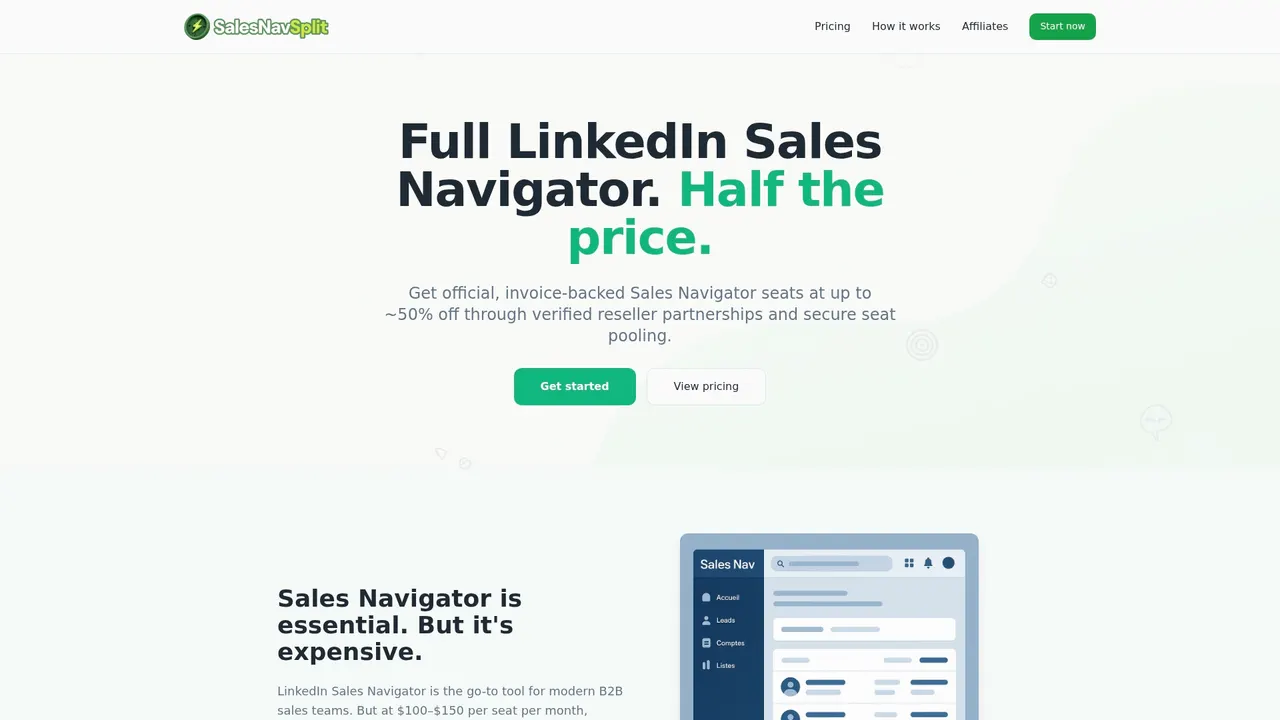
Salesnavsplit provides official Sales Navigator seats at up to 50% off standard LinkedIn pricing, sourced through verified reseller partnerships in the US and Europe. The licenses are genuine, compliant with LinkedIn’s terms, and activated within 24 to 48 hours. You get the full Sales Navigator feature set, including advanced filters, lead lists, CRM sync, and InMail credits, without the enterprise price. Salesnavsplit also handles invoicing through Stripe, so your finance team gets clean documentation. If you are unsure which LinkedIn plan fits your current growth stage, the LinkedIn Premium plan guide at Salesnavsplit walks through the options clearly. For startups serious about B2B prospecting strategies, this is the most cost-effective entry point into LinkedIn’s premium toolset.
FAQ
What is the Social Selling Index and why does it matter?
The Social Selling Index (SSI) is a free LinkedIn score from 0 to 100 that measures how well you build your brand, find the right people, engage with insights, and build relationships. Scores above 70 unlock higher connection request limits and better visibility in search results.
How do I use LinkedIn Sales Navigator as a startup on a tight budget?
Purchase a discounted authorized seat through a verified reseller like Salesnavsplit, then focus your usage on Boolean search, saved lead lists, and InMail to maximize the tool’s ROI without paying full retail price.
Which LinkedIn tools work best for founder-led outreach?
Combining Sales Navigator for prospecting with a native engagement tool for warming prospects before outreach produces the best results. Engagement-first approaches consistently outperform high-volume cold messaging alone.
How often should a startup founder post on LinkedIn?
Three to five times per week is the sweet spot for most founders. Focus on posts between 1,300 and 3,000 characters, use counter-intuitive hooks, and actively engage in your comments for the first hour after publishing.
Are LinkedIn automation tools safe for startup accounts?
They can be, provided you stay within LinkedIn’s daily action limits and use tools that support multi-account management and compliant activity patterns. Avoid tools that fake engagement or violate LinkedIn’s terms of service.
Recommended
- Sales tools checklist: Build your lean B2B outreach stack - SalesNavSplit Blog
- LinkedIn prospecting strategies to win more B2B clients - SalesNavSplit Blog
- Stay compliant: smart sales tools for LinkedIn & B2B outreach - SalesNavSplit Blog
- Small business sales solutions for smarter B2B growth - SalesNavSplit Blog