
Discounted Sales Tool Selection Process: 2026 Guide
Discounted Sales Tool Selection Process: 2026 Guide
TL;DR:
- A structured evaluation process helps sales teams choose the right tools based on workflow, cost, and integration. Engaging end users and conducting paid Proofs of Concept improve adoption and reveal true performance. Modeling three-year total costs and negotiating renewal caps prevent hidden expenses and overspending.
The discounted sales tool selection process is a structured evaluation method that matches sales tools to your specific workflows, budget, and integration requirements before you commit to any purchase. Most sales teams skip this structure and pay for it later. 67% of sales teams select tools without proper technical assessments, and involving end users in the process reduces rejection rates by 73%. Those two numbers explain most failed software rollouts. The goal of any cost-effective tool evaluation is not to find the cheapest option. It is to find the right tool at the right price, with a total cost you can actually predict.
What is the discounted sales tool selection process?
The discounted sales tool selection process is the formal practice of evaluating sales software using weighted criteria across function, technical fit, and total cost of ownership (TCO), with price discipline built in from the start. The industry term for this broader practice is “vendor selection framework,” and it applies whether you are buying a $30-per-seat tool or a $300-per-seat enterprise platform. The discount element adds a specific constraint: you must verify that a lower price does not come with hidden costs that erase the savings.
Sales professionals and small business owners face a specific trap here. Procurement-led, low-price-focused selections consistently produce hidden costs and rework because they ignore workflow alignment. The cheapest solution at purchase often becomes the most expensive solution at renewal. A structured process prevents that outcome by forcing you to define value before you evaluate price.
What prerequisites do you need before evaluating sales tools?
Preparation determines whether your evaluation produces a good decision or just a fast one. Start by writing one sentence that defines the job this tool must do. “We need to identify 50 qualified B2B contacts per week from LinkedIn and push them into our CRM without manual data entry” is a job to be done. “We need a prospecting tool” is not. That single sentence filters out 80% of vendors before you spend a minute on demos.
Next, identify every stakeholder who touches the tool. That means end users, your IT or technical lead, and whoever approves the budget. Each group has a different failure mode. End users reject tools that slow them down. Technical leads block tools that break integrations. Budget owners approve tools that look cheap but cost more at renewal.
Set your budget parameters with a realistic TCO model. The true 3-year cost of any sales tool is roughly three times the headline per-seat fee once you add implementation, support, and add-ons. Implementation fees alone range from $1,000 to $15,000 as a one-time cost. If you budget only for the sticker price, you will overspend within 12 months.
- Define the job to be done in one specific sentence before opening any vendor website.
- Map your current stack to identify integration requirements and potential conflicts.
- Identify all stakeholders including end users, IT, and finance before the first demo.
- Set a 3-year TCO budget, not a per-seat budget, to avoid mid-cycle surprises.
- Build a 6-week evaluation timeline with clear milestones for shortlisting, POC, and decision.
Pro Tip: Before your first vendor call, write down the three workflow steps this tool must improve. If a demo does not address all three, end the call early and move on.
How do you build a weighted scoring matrix for sales tool evaluation?
A weighted scoring matrix removes gut feel from the selection process. It forces every evaluator to score the same criteria on the same scale, which makes your final comparison defensible and repeatable. Weighted scoring models allocate 30–40% to functional fit, 15–25% to technical fit, and 15–20% to TCO. The remaining weight covers vendor viability, support quality, and contract terms.

Assign weights based on your actual priorities, not industry defaults. A five-person sales team with no dedicated IT support should weight technical simplicity higher than a 50-person team with a RevOps function. A team replacing a broken CRM integration should weight technical fit at the top of the range.
| Criterion | Weight | What to score |
|---|---|---|
| Functional fit | 30–40% | Does it do the specific job you defined? |
| Technical fit | 15–25% | Does it integrate cleanly with your current stack? |
| Total cost of ownership | 15–20% | What is the realistic 3-year all-in cost? |
| Vendor viability | 10–15% | Is the vendor financially stable and actively developing? |
| Support and onboarding | 10–15% | How fast do they respond, and what does onboarding cost? |
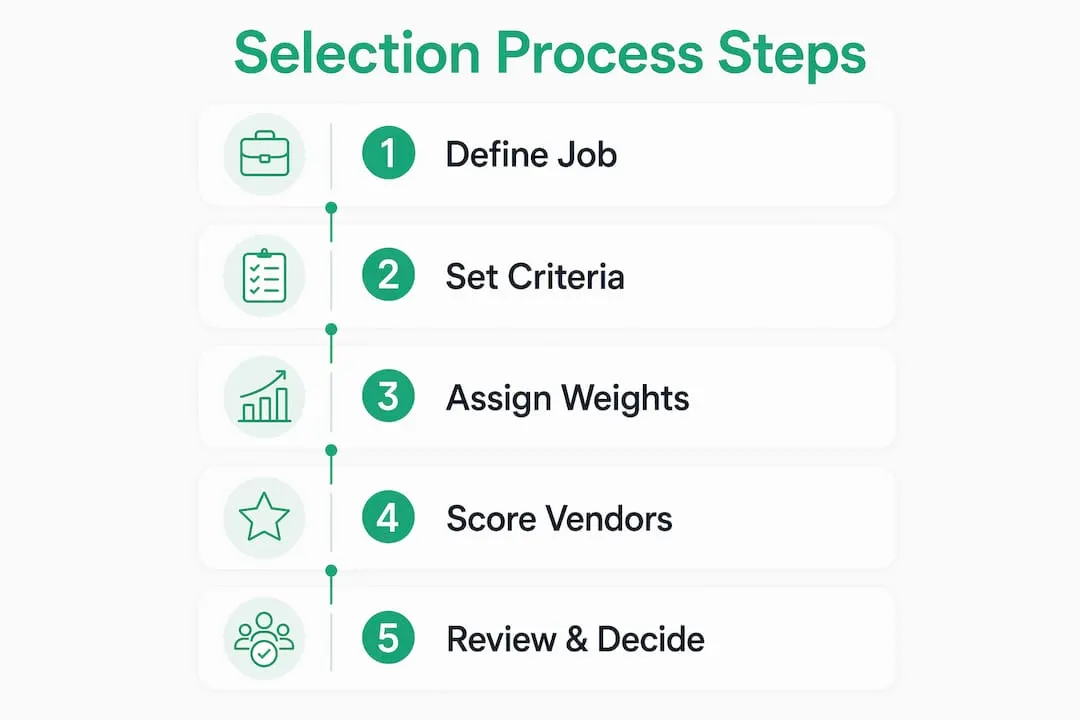
Shortlist 3–5 vendors for detailed evaluation. More than five creates decision fatigue without improving the outcome. Score each vendor independently before comparing scores as a group. This prevents the loudest voice in the room from anchoring the decision.
Success hinges on workflow alignment, not feature counts or lowest price. A tool with 200 features that fits your workflow beats a tool with 400 features that your team ignores after week two.
Pro Tip: Have each evaluator score vendors separately before any group discussion. Comparing independent scores first surfaces real disagreements and prevents groupthink from distorting the matrix.
What are the best practices for trials, POCs, and reference checks?
Free trials are the weakest form of validation. Vendor-provided free trials are often sanitized, meaning vendors pre-load clean data, disable edge cases, and guide you through the best-case path. A paid proof of concept (POC) with sandbox access and written success criteria gives you a realistic picture. POCs typically run 30–60 days at 10–20% of the annual contract cost and create real negotiation leverage at signing.
For AI-enabled sales tools, apply a 90-day ROI framework with specific behavior change metrics. AI sales tools that fail to demonstrate measurable ROI within 90 days, including a time-to-first-value under 10 minutes and visible changes in rep behavior, are a category known as “AI theater.” They look impressive in demos and produce nothing in production.
- Define written success criteria before the POC starts. Agree on what “pass” looks like with the vendor in writing.
- Test with real workflows, not demo data. Use your actual CRM records, your actual sequences, and your actual team.
- Measure CRM sync latency and data enrichment accuracy during the POC, not after purchase.
- Run integration stress tests by pushing edge-case data through the tool to find failure points early.
- Conduct reference calls with companies at a similar stage and size, not the vendor’s largest logo clients.
“Speaking only to a vendor’s flagship enterprise clients masks the real experience for smaller teams. Ask specifically for references at your company size and sales maturity level. The post-sale challenges they describe will be far more relevant than the success stories the vendor volunteers.”
Reference calls with similar-stage users uncover post-sale challenges like sync latency, maintenance burden, and support response times that never appear in a demo. Ask every reference contact one question: “What do you wish you had known before signing?”
How do you model the true total cost of ownership for discounted tools?
TCO modeling is the single step that separates buyers who stay on budget from buyers who overspend by 40% in year two. The formula is straightforward: take the per-seat fee, multiply by three to capture a 3-year window, then add implementation fees. Per-seat price often represents only half the total bill once you include add-ons, compliance seats, storage overages, and professional services.
Common add-ons that inflate TCO include dialers, intent data feeds, additional API call limits, and premium support tiers. Each of these is often sold as optional at signing and becomes effectively mandatory within six months of use.
| Cost category | Typical range | Notes |
|---|---|---|
| Per-seat fee (Year 1) | Varies by vendor | The number most buyers focus on |
| Implementation | $1,000–$15,000 one-time | Often excluded from initial quotes |
| Add-ons and integrations | 20–40% of base fee annually | Dialers, enrichment, storage |
| Year 2–3 renewal increase | 8–12% without caps | Vendors claw back initial discounts |
| Recoverable waste | 15–25% of annual spend | Inactive seats, duplicates, poor usage |
Negotiating renewal caps of 3–5% is the most underused contract tactic in software buying. Without a cap, annual renewal increases of 8–12% are standard. Over three years, that erases any discount you negotiated at signing.
A 90-day usage audit after deployment often reveals that 15–25% of software spend is recoverable from inactive seats, duplicate tools, or features nobody uses. Build that audit into your calendar at the 90-day mark, not at renewal.
What common mistakes should you avoid when selecting discounted sales tools?
The most expensive mistake in sales tool selection is buying a category instead of buying a solution to a specific problem. A team that buys a “sales engagement platform” because that is what competitors use will almost certainly overbuy. Defining the specific decision made with the tool prevents overbuying and unnecessary expense.
- Choosing based on demo polish. A well-produced demo signals a good marketing team, not a good product. Score demos against your written criteria, not your emotional reaction.
- Skipping end-user involvement. Involving end users in evaluation reduces rejection rates by 73%. A tool your team refuses to use has a TCO of infinity.
- Relying on free trials alone. Sanitized trials hide integration failures and edge-case bugs. Always follow up with a paid POC for any tool above $200 per seat annually.
- Ignoring post-purchase integration complexity. Tools that require custom API work or third-party middleware add cost and delay that never appear in the initial quote.
- Accepting the first renewal price. Vendors expect negotiation at renewal. If you do not have a cap in your contract, you are accepting whatever increase they propose.
Pro Tip: Build a lean B2B outreach stack before evaluating any new tool. Knowing exactly what you already have prevents duplicate purchases and clarifies the gap you are actually trying to fill.
Key Takeaways
The most effective discounted sales tool selection process combines a defined job to be done, a weighted scoring matrix, a paid POC, and a 3-year TCO model before any contract is signed.
| Point | Details |
|---|---|
| Define the job first | Write one sentence describing exactly what the tool must do before evaluating any vendor. |
| Use a weighted matrix | Score functional fit at 30–40%, technical fit at 15–25%, and TCO at 15–20% for every shortlisted tool. |
| Run a paid POC | Free trials are sanitized; a 30–60 day paid POC with real workflows reveals actual performance. |
| Model 3-year TCO | Multiply the per-seat fee by three and add implementation costs to get a realistic budget figure. |
| Negotiate renewal caps | Cap annual price increases at 3–5% in writing to prevent vendors from erasing your initial discount. |
What I have learned from watching teams get this wrong
Most sales teams treat tool selection as a procurement task. They gather three quotes, pick the middle price, and call it due diligence. I have watched that approach produce expensive regret more times than I can count.
The teams that get it right treat selection as a project. They assign an owner, set a timeline, involve end users from day one, and run a real POC before signing. They also do something most teams skip entirely: they audit their existing stack before evaluating anything new. Half the time, the tool they need already exists in their current subscription, buried under a feature they never activated.
The discount angle matters, but not in the way most buyers think. The goal is not to find the lowest price. It is to find a tool where the price reflects the actual value you will extract. A tool at 50% off that your team uses daily is a great deal. A tool at 70% off that sits unused after 30 days is a waste at any price. Slower, more reliable vendors that integrate well consistently outperform flashy platforms that cause adoption failures. I have seen that pattern repeat across teams of every size.
Patience in evaluation pays off in adoption. The teams that rush to sign because a discount expires on Friday are the same teams complaining about their tech stack six months later.
— Toinon
Salesnavsplit: official Sales Navigator seats at up to 50% off
LinkedIn Sales Navigator is one of the highest-ROI prospecting tools available for B2B sales teams. The barrier for most small teams is the full retail price per seat. Salesnavsplit solves that directly by providing official Sales Navigator licenses at up to 50% off standard pricing, sourced through verified reseller partnerships in the US and Europe.
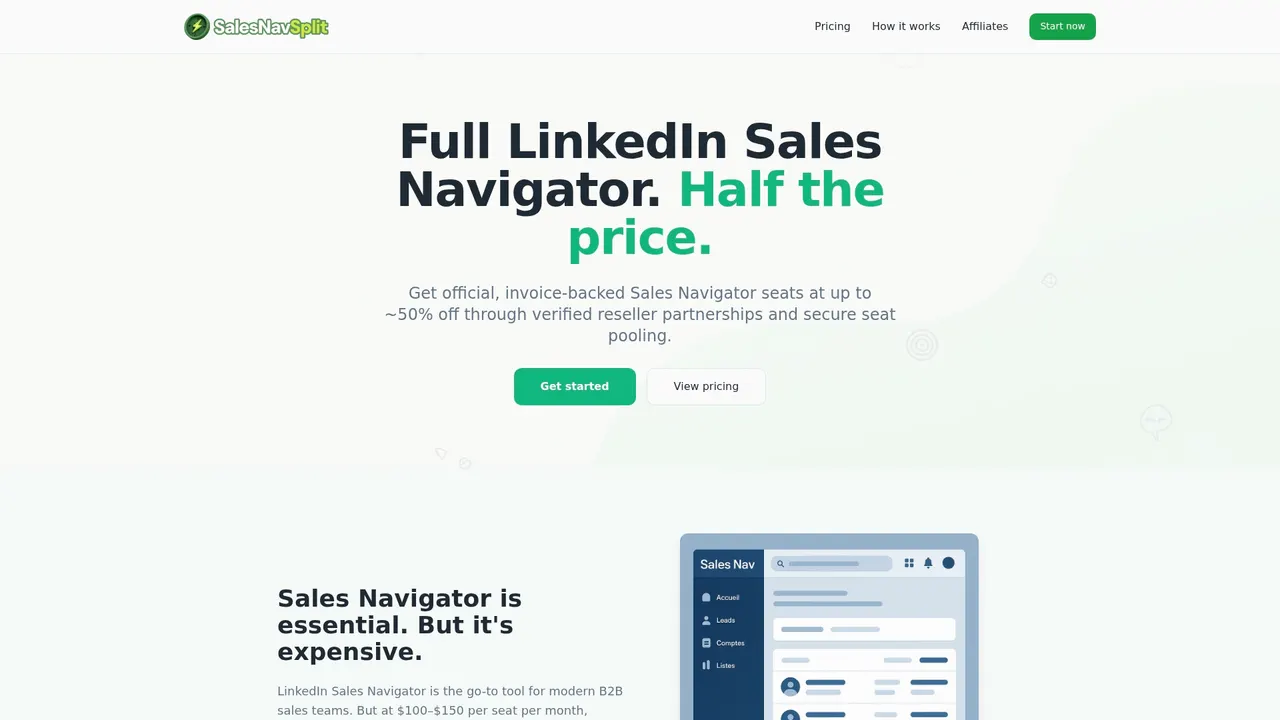
Every seat is genuine, compliant with LinkedIn’s terms of service, and activated within 24–48 hours. Payments process through Stripe with official invoicing. If you want to understand exactly how the model works and why it is safe, the reseller seat model explained page covers the verification process in full. For teams that have already completed their evaluation and are ready to act, the LinkedIn Sales Navigator discount page shows current pricing options.
FAQ
What is the discounted sales tool selection process?
The discounted sales tool selection process is a structured vendor evaluation method that scores tools on functional fit, technical compatibility, and total cost of ownership before purchase. It applies the same rigor as enterprise procurement but with explicit price discipline built in from the start.
How do you avoid hidden costs when buying discounted sales tools?
Model TCO over three years by multiplying the per-seat fee by three and adding implementation fees, which range from $1,000 to $15,000. Negotiate renewal price caps of 3–5% in your contract to prevent vendors from increasing rates by 8–12% annually.
Why do free trials fail to validate sales tools properly?
Free trials are often sanitized by vendors to show best-case performance. A paid POC running 30–60 days with your real data and written success criteria provides a far more accurate picture of how the tool performs in your actual workflow.
How does end-user involvement affect sales tool adoption?
Involving end users in the evaluation process reduces tool rejection rates by 73%. Teams that skip this step often find that reps abandon the tool within weeks of deployment, making the purchase cost unrecoverable.
What is a realistic timeline for evaluating sales tools?
A structured evaluation runs approximately six weeks: two weeks for shortlisting and scoring, two to four weeks for a paid POC, and one week for reference checks and contract negotiation. Rushing this timeline is the most common cause of poor tool selection outcomes.