
The best types of B2B sales tools for smarter prospecting
The best types of B2B sales tools for smarter prospecting
TL;DR:
- Most small sales teams rely on LinkedIn Sales Navigator for relationship-based prospecting but need additional data tools to reach cold contacts and verify information. Combining social selling with data intelligence and enrichment layers creates an effective, layered sales tool stack aligned with specific workflows and budgets. Affordable licenses through verified resellers make advanced tools accessible, helping SMBs build cost-effective prospecting strategies without overpaying.
Walk into any sales software comparison site and you’ll find over 500 tools competing for your attention and budget. Categories blur together, vendor promises overlap, and it’s nearly impossible to tell which product actually solves your specific bottleneck. For sales professionals and small business owners trying to build a lean but effective prospecting engine, that confusion is expensive. This guide breaks the noise down into clear tool categories, shows you exactly how each type works in practice, and helps you build a smarter, more cost-effective stack without wasting budget on overlapping features.
Table of Contents
- How to categorize modern sales tools
- Essential types of sales tools and their strengths
- Comparison: Which sales tool types fit your needs?
- How to choose the right mix for your sales team
- Why most SMBs need a layered sales tools stack (not just social selling)
- Affordable access to advanced sales tools
- Frequently asked questions
Key Takeaways
| Point | Details |
|---|---|
| Understand tool types | Distinguish between data intelligence, social selling, intent, and enrichment tools for smarter decisions. |
| Layer tools for impact | Combining social selling with data or enrichment tools yields better B2B prospecting results than using one in isolation. |
| Pick based on needs | Select sales tool categories by evaluating where your biggest lead generation or engagement gap lies. |
| Leverage SMB solutions | Small teams can maximize ROI with shared licenses and a targeted mix rather than buying every tool outright. |
How to categorize modern sales tools
The B2B sales tool market isn’t random. There’s an underlying logic to it, once you know the framework. Most tools fall into one of four major categories, and understanding those categories is the fastest way to stop comparing apples to oranges.
According to leading sales intelligence research, prospecting tools fall into four main types: data intelligence platforms (verified contact and company databases), social selling tools (LinkedIn-centric searching and alerts), intent or ABM tools (in-market buying signals), and data enrichment tools (keeping your CRM data accurate and current). Each category solves a different part of the sales pipeline problem.
Here’s a quick breakdown of those core categories:
- Data intelligence: Build targeted lead lists with verified emails, phone numbers, and firmographic data (company size, industry, revenue).
- Social selling: Identify and engage warm prospects on LinkedIn using relationship signals and behavioral alerts.
- Intent or ABM (account-based marketing): Detect which companies are actively researching topics related to your product right now.
- Data enrichment: Automatically update and fill gaps in your CRM so your existing data doesn’t decay.
“The best tool for your team isn’t the one with the most features. It’s the one that directly addresses your biggest prospecting bottleneck.”
To choose between these categories, you need to answer three honest questions. First, what does your sales team actually do: cold outreach, warm networking, or account-based targeting? Second, how much does data accuracy matter to your process? Third, what’s your realistic budget per seat per month? If you’re doing primarily LinkedIn-based outreach and relationship building, a LinkedIn Sales Navigator guide will walk you through the strongest social selling option available. But if your team sends cold emails in volume, you’ll need a data intelligence layer too.
Essential types of sales tools and their strengths
With those categories in mind, let’s look at how each type of sales tool really works in practice, including where each one shines and where it falls flat.
Data intelligence platforms are the workhorses of the outbound sales world. Tools like ZoomInfo, Apollo.io, and Lusha give you access to massive databases of verified contact information. You can filter by job title, seniority level, company size, industry, geography, and more. The output is a list of names and emails you can pipe directly into an outreach sequence.
Data intelligence tools offer verified databases for building targeted contact lists, while social selling tools build relationships first but often lack the raw data power for cold outreach at scale. This is a critical distinction. If you need 200 verified CFO emails by Friday, a data intelligence platform delivers. A social selling tool will not.

However, data intelligence tools have their own limits. They can be expensive, data quality varies significantly by region and industry, and they require ongoing list management to stay useful. They also don’t help much with relationship warmth. A prospect receiving a cold email from someone they’ve never interacted with is always harder to convert.
Social selling tools, most notably LinkedIn Sales Navigator, flip that model. Instead of lists, you get relationship context. You can see mutual connections, shared interests, recent activity, and company news. Navigator’s saved lead alerts notify you when a prospect changes jobs, gets promoted, or shares relevant content. That context makes every outreach message more relevant and more personal.
For lead generation on LinkedIn, Sales Navigator’s advanced search filters alone can replace hours of manual research. You can filter by seniority, company headcount, geographic area, years in role, and even whether someone has posted on LinkedIn recently. That last filter is powerful because it targets people who are already active and likely to respond.
The tradeoff is that Navigator doesn’t give you verified email addresses or phone numbers. You’re dependent on LinkedIn InMail credits or finding contact details elsewhere. For teams doing smart LinkedIn strategies, this means pairing Navigator with an enrichment or intelligence tool to complete the workflow.
Intent and ABM tools are the most sophisticated category. Platforms like Bombora, 6sense, and Demandbase track online behavior across thousands of publishers and B2B content sites. When a company starts heavily researching topics related to your product, these tools flag it as an “intent surge.” Your sales team gets a list of accounts who are actively in-market right now, not just hypothetically interested.
This category makes the most sense for teams selling higher-ticket products with longer sales cycles, where timing dramatically affects win rates. If you contact an account at the moment they’re actively evaluating solutions, your conversion rate goes up significantly. For small teams with limited bandwidth, intent data helps you focus on the 10% of your total addressable market that’s ready to buy this month.
Data enrichment tools are the unsung heroes of any sales operation. Tools like Clearbit (now part of HubSpot) and Cognism’s enrichment features automatically append missing data to your CRM records, correct outdated job titles, and verify email addresses before you send. Without enrichment, your CRM decays at roughly 30% per year as people change jobs and companies.
Pro Tip: Before buying any new prospecting tool, audit your existing CRM data first. If 40% of your records are stale or incomplete, enrichment should be your first investment, not another outreach platform.
Comparison: Which sales tool types fit your needs?
Having covered each type in detail, see how they stack up side by side for different scenarios.
| Tool type | Best for | Prospecting power | Engagement quality | Typical cost |
|---|---|---|---|---|
| Data intelligence | Cold outreach, list building | Very high | Low (no relationship context) | $50-$200+/month |
| Social selling (Navigator) | Warm outreach, relationship building | High on LinkedIn | Very high | $99-$160/month |
| Intent or ABM | Timed, account-based targeting | High for in-market accounts | Medium | $1,000+/month |
| Data enrichment | CRM hygiene, email verification | Medium (complements others) | Low (backend tool) | $50-$150/month |
The key insight from this table: no single tool category covers everything. That’s not a flaw in the market. It’s a reflection of how complex the B2B buying journey actually is.
As sales research confirms, SMBs frequently discover they need a complementary data intelligence or enrichment layer alongside social selling, not social selling in isolation. Relying on Navigator alone means you can identify the right people but struggle to reach them outside of LinkedIn’s walls. Add an enrichment tool and suddenly you have verified contact details to pair with your warm LinkedIn outreach.
The advanced sales search capabilities inside Navigator are genuinely impressive for identifying ideal prospects. But identification and outreach are two different steps. For SMBs with tight budgets, the smartest move is usually to start with Navigator for identification and relationship context, then layer in a mid-tier data intelligence tool for verified contact details when the budget allows.
Intent data tools, while powerful, are generally out of reach for most small businesses due to cost. Consider them a growth-phase investment once you’ve maximized the value of your foundational stack.
How to choose the right mix for your sales team
Now that you know the strengths and comparisons, here’s how to decide which tool types and specific products are the smartest investment for your team.
A structured framework from Fullcast breaks sales intelligence into five layers: prospecting and contact intelligence, conversation intelligence, sales engagement platforms, deal intelligence and forecasting, and revenue intelligence. You don’t need all five. Most small teams need just the first two or three to see meaningful results.
Follow this step-by-step process to build your stack:
- Identify your biggest bottleneck. Are you struggling to find the right people (use data intelligence), connect with them meaningfully (use social selling), know when to reach out (use intent data), or maintain accurate records (use enrichment)?
- Shortlist tools by that one function first. Don’t buy a platform that “does everything” before you’ve solved your primary problem.
- Test with a small team or a single seat. Most tools offer trials. Run a 30-day pilot with real metrics before committing to annual plans.
- Layer tools only after you’ve validated the core. Once Navigator or your data platform is producing results, add enrichment or intent data to amplify those results.
- Review quarterly. Tool needs change as your team grows. A stack that works for a two-person team often needs adjustment at ten people.
A practical example: a three-person B2B software sales team selling to mid-market companies might start with LinkedIn Sales Navigator for relationship-based prospecting, add Apollo.io for verified email addresses at a lower price point than ZoomInfo, and use a free CRM like HubSpot at the start. That stack costs under $250 per month total and covers identification, contact data, and outreach tracking.
Pro Tip: For SMBs specifically, shared or discounted Sales Navigator licenses cut your per-seat cost significantly. That savings can fund the enrichment or intelligence layer you need to complete your stack. A streamlined prospecting workflow built on these principles can generate consistent pipeline without enterprise-level spend.
When you’re mixing categories, the most effective combinations are: social selling paired with data intelligence for warm-to-cold coverage, and social selling paired with enrichment for maintaining CRM accuracy as your network grows. Intent data becomes a meaningful addition once you’re closing deals regularly and need to prioritize which accounts to pursue next.
Why most SMBs need a layered sales tools stack (not just social selling)
Here’s a real-world observation from watching small B2B teams build their sales stacks: almost every SMB starts with LinkedIn Sales Navigator. It’s visible, well-known, and the interface is intuitive. They get excited about the advanced filters, set up saved searches, and start sending InMails. And then, three months in, they hit a wall.
The wall is always the same. Navigator shows you who to talk to, but it doesn’t always show you how to reach them off-platform. InMail response rates, while better than cold email in many cases, are still limited by your monthly credit allocation. And if a prospect isn’t active on LinkedIn, Navigator’s value drops sharply.
Research consistently shows that social selling tools are strongest for warm, relationship-based prospecting but carry real limitations for cold outreach and data verification. This isn’t a criticism of Navigator. It’s just an honest assessment of what the tool was built to do.
The SMBs that get the best ROI from their sales stack are the ones who treat Navigator as the relationship layer, not the entire engine. They use it to identify ideal prospects, monitor trigger events (job changes, promotions, company news), and personalize their first touchpoints. Then they use a lightweight data tool to get verified contact information for follow-up outside LinkedIn.
This layered approach doesn’t have to be expensive. The key is sequencing. Start with proven Sales Navigator tips to maximize what you’re already paying for, then identify the specific gap in your workflow before buying anything else. That discipline prevents the most common SMB mistake: paying for three tools that each do 60% of the job while none of them do their job fully.
The real competitive advantage isn’t owning the most tools. It’s knowing exactly what gap each tool fills and using each one to its actual ceiling before adding complexity.
Affordable access to advanced sales tools
Armed with this knowledge, it’s time to get the tools you need without overpaying.
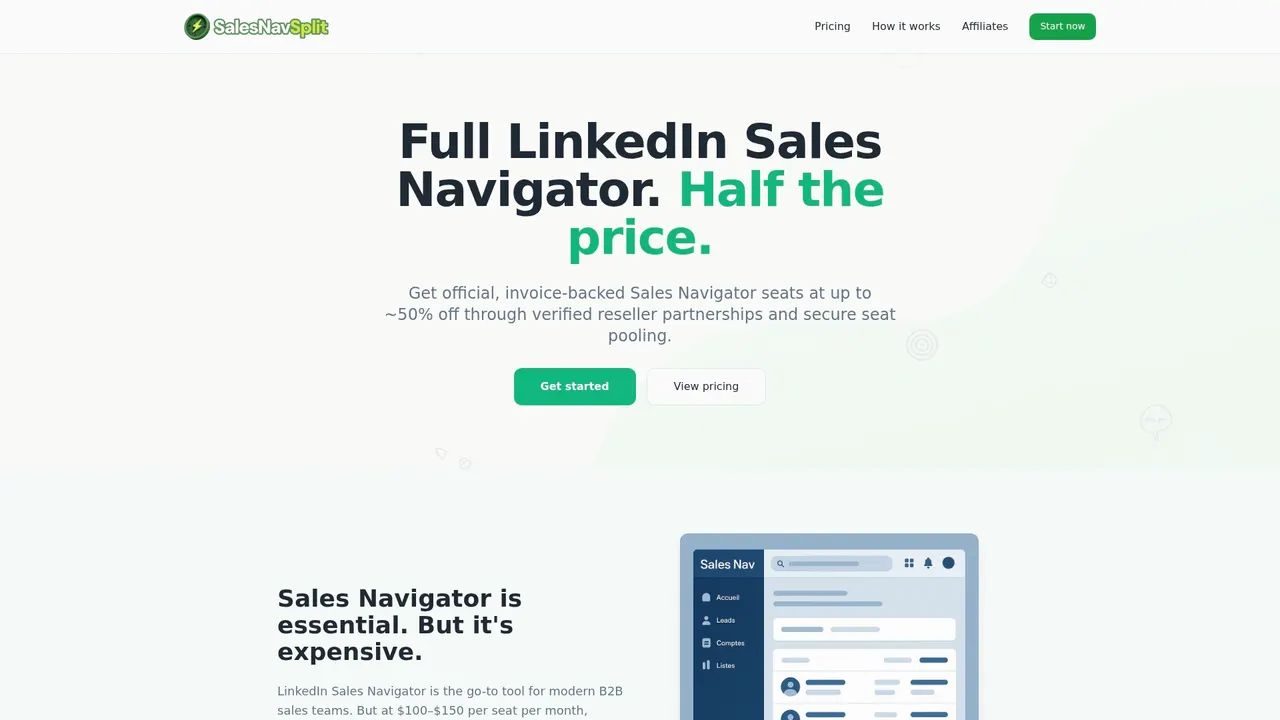
LinkedIn Sales Navigator is the cornerstone of most B2B social selling stacks, but at full retail price, it puts real pressure on small team budgets. That’s exactly why salesnavsplit.com exists. The platform provides authorized Sales Navigator seats at roughly 50% off standard pricing, sourced through verified reseller partnerships in the US and Europe. Seats are genuine, compliant with LinkedIn’s terms of use, activated within two business hours European time, and invoiced officially through Stripe. For a small team trying to afford both a social selling tool and a data intelligence layer, that savings is what makes the full stack possible without stretching the budget thin.
Frequently asked questions
What is the difference between data intelligence and social selling tools?
Data intelligence tools focus on building accurate lead lists with verified contact details, while social selling tools like LinkedIn Sales Navigator help you connect and engage with prospects through relationship context. Both categories serve different functions and often work best when used together.
Are sales engagement platforms and intent data tools the same?
No. Sales engagement platforms automate and track outreach sequences like emails and calls, while intent data tools identify which accounts are actively researching topics related to your solution. Sales intelligence breaks into multiple distinct layers, and engagement platforms and intent tools fill very different roles.
Will LinkedIn Sales Navigator cover all my prospecting needs?
Navigator is excellent for warm, relationship-based prospecting on LinkedIn but doesn’t provide verified email addresses or support high-volume cold outreach. Social selling tools have clear limits for cold outreach and data verification, so most teams benefit from pairing Navigator with a data intelligence or enrichment tool.
How can small teams afford premium B2B sales tools?
Shared or discounted license programs let smaller teams access premium tools like LinkedIn Sales Navigator at a fraction of the standard cost, freeing up budget to layer in the data intelligence or enrichment tools that complete a productive prospecting stack.
Recommended
- Advanced sales search: Smarter B2B prospecting with Navigator - SalesNavSplit Blog
- Sales tools checklist: Build your lean B2B outreach stack - SalesNavSplit Blog
- What Is Sales Prospecting? Proven Strategies for B2B Success - SalesNavSplit Blog
- Harness automation in sales prospecting for smarter B2B - SalesNavSplit Blog